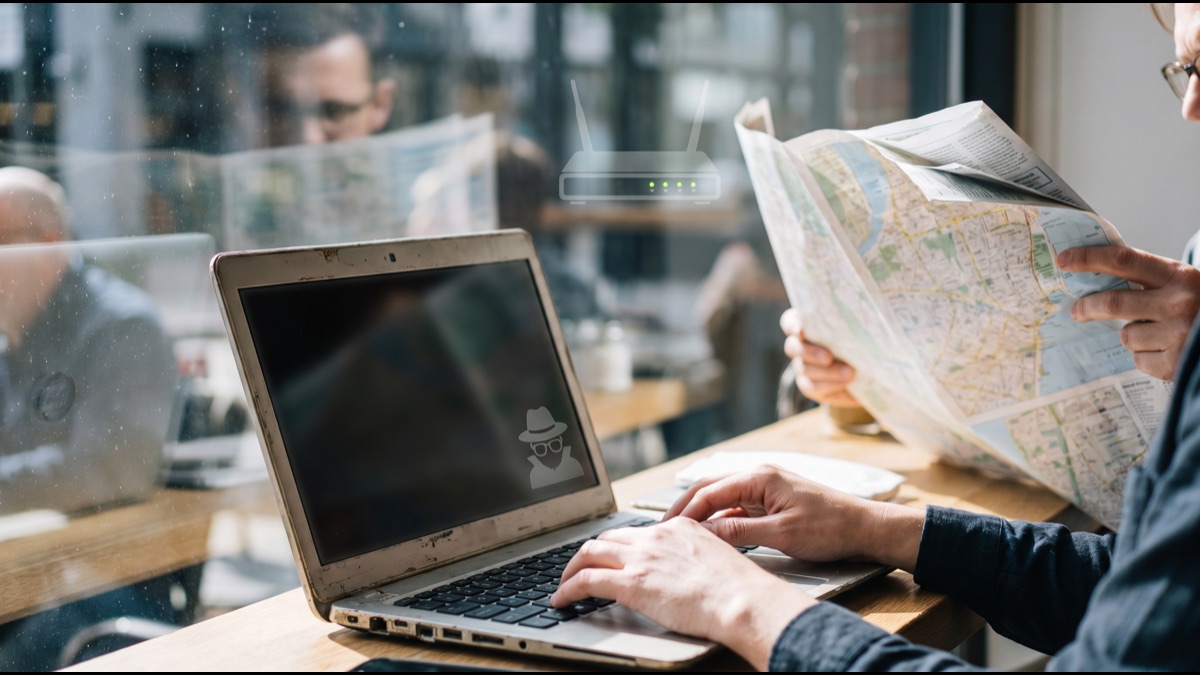
Closing an incognito window does not make you anonymous online, it just makes your browser forget you were ever there. Those are two very different things, and the gap between them is exactly where most people's assumptions about private browsing go wrong. Incognito mode, and its equivalents across every major browser, is fundamentally a local memory feature: it prevents your own device from keeping a record of what you did, not a privacy shield that hides your activity from the rest of the internet.
That distinction matters because incognito mode has quietly become shorthand for "browsing privately" in a much broader sense than the feature ever promised, and that mismatch between what people expect and what actually happens has real consequences, from employees assuming their workplace can't see their searches to people believing a private window somehow masks their identity from the sites they're logging into.
Understanding exactly what gets erased, what gets recorded elsewhere entirely outside your control, and where the two categories genuinely diverge requires walking through what a browser actually stores locally versus what leaves your device the moment you make a request, because those are handled by completely different systems with completely different privacy properties.
None of this makes incognito mode pointless; it solves a specific, narrow problem extremely well. It just solves a much smaller problem than its popular reputation suggests, and knowing precisely where that boundary sits is the difference between using the feature correctly and being quietly misled by it.
What Incognito Mode Actually Deletes When You Close the Window
When you close every incognito or private window in a session, the browser discards several categories of local data that it would otherwise retain permanently: the list of pages you visited, any new entries you would have added to autocomplete suggestions, cookies set during that session, and any temporary files or cached images downloaded to speed up page loading.
Form data you type into fields, like search boxes or checkout fields, also is not saved for future autofill suggestions the way it normally would be in a regular window, and any new bookmarks or downloads you explicitly choose to keep are typically the only things that persist afterward, since bookmarking and downloading are deliberate save actions rather than passive tracking.
Critically, all of this deletion happens locally, on your own device, and only after you actually close the private window; while the incognito session is still open, this data exists in memory much like a regular browsing session, it just gets wiped rather than written to permanent storage once you're done, which is a meaningfully different guarantee than most users assume it provides.
What Incognito Mode Was Actually Designed to Solve
Browser makers originally built private browsing to solve a specific, mundane problem: shared devices. A family computer, a library terminal, or a borrowed laptop all create a situation where one person's browsing history, saved passwords, and autofill data could be seen by the next person who sits down, and private browsing exists primarily to prevent exactly that kind of local, physical exposure.
Google's own documentation for Chrome's incognito mode, along with equivalent disclosures from Firefox, Safari, and Edge, explicitly states upfront when you open a new private window that it does not hide your browsing from your employer, school, internet service provider, or the websites you visit, a disclaimer most users click past without reading.
This origin as a "shared computer" feature explains why its scope is so narrow: the engineering problem being solved was always "don't leave a trace on this machine," never "don't be observable while making a network request," and the feature's design has stayed remarkably consistent with that original, modest goal for nearly two decades.
Why Your Internet Provider Can Still See Everything You Visit
Every request your device makes to load a webpage travels through your internet service provider's network infrastructure on its way to the wider internet, and incognito mode changes absolutely nothing about that routing; the ISP still sees the domain names you connect to, generally through DNS lookups and, depending on their monitoring setup, potentially far more granular traffic detail.
Even with HTTPS encryption protecting the actual content of a webpage in transit, which is now the overwhelming default across the modern web, the domain name itself is frequently still visible to an ISP through the DNS resolution process and the TLS handshake's server name indication field, unless the connection additionally uses encrypted DNS and encrypted client hello, protections most users never actively configure.
In many countries, ISPs retain some form of connection or traffic log for regulatory, network-management, or advertising purposes, and in some jurisdictions they are legally required to preserve certain records for a defined retention period regardless of whether the customer used a private browsing window, since the private-browsing setting exists entirely on the customer's device and is invisible to the network carrying the traffic.
Why Your Employer or School Network Can Still Watch You
Organizations that manage their own network infrastructure, corporate offices, universities, and schools, commonly deploy network-level monitoring tools, proxy servers, or firewall logging that record traffic passing through their systems independently of anything happening inside an employee's or student's browser.
Because this monitoring happens at the network layer rather than inside the browser application itself, incognito mode provides zero protection against it; a private window prevents the local device from remembering the visit, but it has no ability to prevent, hide from, or even detect that a separate piece of infrastructure elsewhere on the network is independently logging the same traffic as it passes through.
Many organizations also deploy managed device policies or endpoint monitoring software directly installed on company laptops and phones, which can record activity regardless of which browsing mode is active, since that software typically operates with system-level permissions that sit entirely outside the browser's control and are unaffected by any privacy setting the browser itself offers.
Why the Websites You Visit Still Know It's You
If you log into an account, whether email, social media, or online banking, during an incognito session, that website obviously knows exactly who you are; private browsing does nothing to anonymize an authenticated session, it simply means that once you close the window, the browser won't remember you were logged in the next time it opens.
Websites also independently log server-side data on every visit regardless of browser privacy settings, commonly including your IP address, request timestamps, the pages viewed, and technical details about your device and browser, records that live entirely on the website's own servers and are completely unaffected by anything happening in your local browser.
This server-side logging exists for reasons ranging from basic analytics and security monitoring to advertising measurement and fraud prevention, and because it happens on infrastructure the visitor has no access to or control over, no browser setting, private or otherwise, has any ability to prevent, alter, or delete it after the fact.
Why Your IP Address Stays Fully Visible in Private Mode
Your IP address is a fundamental requirement for how the internet's request-and-response system functions; a server cannot send a webpage back to a device it cannot address, which means every website you visit, incognito or not, necessarily receives your IP address as a basic technical prerequisite of the connection actually working at all.
An IP address alone can reveal a surprisingly specific amount about a visitor, typically the approximate geographic region down to a city or neighborhood, the internet service provider being used, and, combined with other signals, can sometimes be linked back to a specific household or individual, particularly through legal processes like a subpoena directed at the ISP.
Because incognito mode is purely a local storage and history feature, it has absolutely no mechanism for masking, rotating, or hiding this address in any way, which is precisely the gap that tools built for that specific purpose, like a VPN or the Tor network, are actually designed to address, unlike private browsing itself.
How Browser Fingerprinting Defeats Private Browsing Entirely
Browser fingerprinting is a tracking technique that identifies a specific device not through cookies at all but through a combination of technical characteristics, including screen resolution, installed fonts, browser and operating system version, timezone, language settings, graphics hardware details, and dozens of other small signals that together form a combination unique enough to re-identify a device across separate visits.
Because fingerprinting relies on characteristics of the device and browser configuration itself rather than on stored cookies or local history, closing an incognito window changes essentially none of the underlying signals a fingerprinting script collects; the screen resolution, installed fonts, and hardware details remain identical the next time that same device opens a new private session.
Research from privacy-focused organizations including the Electronic Frontier Foundation has repeatedly demonstrated that a meaningful percentage of devices produce a fingerprint unique enough to be individually identifiable among millions of others, meaning a sufficiently sophisticated tracker can often recognize a returning visitor in incognito mode with no cookies involved whatsoever.
How Incognito Actually Differs From a VPN
A VPN, or virtual private network, works at a fundamentally different layer of the connection than incognito mode; it encrypts your device's traffic and routes it through an intermediary server before it reaches the wider internet, which means your ISP sees only that you're connected to the VPN provider, not the specific sites you subsequently visit, and the destination website sees the VPN server's IP address rather than your own.
Incognito mode, by contrast, does nothing to your outgoing network traffic at all; it is purely a local browser setting governing what gets saved to disk on your own device, meaning it operates on a completely separate axis of privacy protection from a VPN, one manages what your device remembers, the other manages what the network and destination can see about your connection.
The two are genuinely complementary rather than redundant: using a VPN together with a private browsing window addresses both concerns simultaneously, masking your IP address and encrypting your traffic from your ISP while also ensuring the session leaves no local trace on the device once the window closes, something neither tool accomplishes fully on its own.
Why Some Sites Can Detect You're Browsing in Incognito
Certain websites, most notably some news publishers relying on metered paywalls, have specifically built detection methods to identify visitors using private browsing, since incognito mode was historically an easy way to reset a cookie-based article counter and read past a paywall by simply opening a fresh private window for each additional article.
Early detection techniques exploited quirks in how certain browser storage APIs, particularly an older implementation of the FileSystem API in Chrome, behaved differently or reported different available storage quotas specifically when running inside a private session, allowing a website's script to infer the browsing mode indirectly without the browser explicitly announcing it.
Browser makers, including Google with Chrome, have subsequently patched several of these specific detection methods once they became widely known and exploited for paywall circumvention, though this has become an ongoing low-level technical back-and-forth between browser privacy engineers closing detection loopholes and publishers finding new, subtler ones to replace them.
What Actually Happens to Cookies During an Incognito Session
While a private browsing session is actively open, cookies do still function largely as they normally would within that session; a website can still set a cookie to remember that you added an item to a shopping cart or to keep you logged in as you navigate between pages, since cookies are essential to how much of the ordinary functioning web actually operates.
The meaningful difference is isolation and lifespan rather than complete absence: cookies set during an incognito session are typically kept in a separate, temporary storage container isolated from your regular browsing profile's cookies, and that entire container, along with everything in it, is discarded the moment the last private window in that session closes.
This means a website cannot use a cookie planted during a previous incognito session to recognize you in a brand-new one, since each fresh private session generally starts with an empty cookie jar, but within a single continuous session, cookie-based tracking and site functionality both continue to operate essentially normally the entire time the window stays open.
The Most Common Misconceptions About Private Browsing
Surveys conducted by university researchers studying user understanding of browser privacy features have repeatedly found that a substantial share of people believe incognito mode hides their activity from their employer, their ISP, or the government, misconceptions the browsers' own onboarding disclaimers directly contradict yet apparently fail to fully correct in practice.
Another persistent misconception is that private browsing provides some form of malware or security protection beyond its actual scope; incognito mode offers no additional defense against malicious downloads, phishing sites, or compromised webpages, and a device can be infected during a private session exactly as easily as during a regular one.
A related and commonly held belief is that incognito mode somehow prevents targeted advertising entirely; while it does prevent an advertiser from linking that session's browsing to your regular, logged-in cookie profile, it does nothing to stop contextual advertising, IP-based geographic targeting, or fingerprint-based tracking from continuing to function during the session itself.
When Incognito Mode Is Genuinely Useful
Private browsing remains a genuinely useful tool for its original, narrow purpose: using a shared or borrowed device, a library computer, a friend's laptop, or a hotel business center terminal, without leaving your personal browsing history, saved passwords, or autofill data behind for the next person who uses that same machine.
It is also legitimately useful for checking prices on flights, hotels, or e-commerce sites without your regular browsing history and cookie profile potentially influencing dynamic pricing algorithms or triggering retargeted ads based on products you were previously researching, since the session starts from a genuinely clean cookie state each time.
A third common and legitimate use case is logging into a second account on a platform that normally only allows one active session per browser profile, using a private window as an isolated, separate session running alongside your regular logged-in tab without the two accounts' cookies interfering with or overwriting each other.
How Different Browsers Implement Private Browsing Differently
Google Chrome calls the feature Incognito Mode, Apple's Safari calls it Private Browsing, Mozilla Firefox uses Private Window, and Microsoft Edge calls it InPrivate Browsing, and while the branding differs, the underlying core behavior, no persistent local history, isolated temporary cookies, and no saved autofill data, remains broadly consistent across all four major browsers.
Firefox's private browsing implementation goes further than most competitors by default, automatically blocking many known third-party tracking scripts during private sessions specifically, a protection built directly on the browser's separate Enhanced Tracking Protection feature rather than something unique to the private-mode toggle itself.
Some browsers, including certain privacy-focused alternatives less widely used than the major four, additionally route private-mode traffic through built-in proxy or Tor-like network infrastructure by default, effectively bundling a VPN-like network-layer protection together with the traditional local-storage privacy behavior other browsers keep strictly separate.
Sources
- Wikipedia — overview of private browsing modes across major browsers and their history
- Electronic Frontier Foundation — research and advocacy on browser fingerprinting and online tracking
- Google Chrome Help — official documentation on what Incognito mode does and does not do
- Mozilla Firefox — documentation on Private Browsing and Enhanced Tracking Protection
FAQ
Does incognito mode hide my activity from my ISP?
No, your internet service provider can still see the domains you connect to and, depending on their monitoring, more detailed traffic; incognito mode only affects what your own device stores locally.
Can my employer see what I browse in incognito mode?
Yes, if they monitor traffic at the network level or have monitoring software installed on the device, since that visibility happens outside the browser and is unaffected by private browsing settings.
Does incognito mode hide my IP address?
No, every website you visit still receives your IP address as a basic requirement of loading the page; a VPN or similar tool is needed to mask or change that address.
How is incognito mode different from a VPN?
Incognito mode only controls what your browser saves locally, while a VPN encrypts your traffic and hides your IP address from your ISP and the sites you visit; they solve different problems and work well together.
Can websites tell I'm using incognito mode?
Some can, particularly paywalled news sites that historically detected private sessions through storage quota quirks, though browser makers have patched many of these detection methods over time.
What is incognito mode actually good for?
Using shared or borrowed devices without leaving a history trace, checking travel prices without retargeted ads skewing results, and logging into a second account alongside your main one.
About the Author
We reference Wikipedia and other authoritative sources to explain the background and current understanding of this topic.
Loved This Article?
Share it on WhatsApp → Share it on WhatsApp
Get more guides in your inbox — Subscribe to our newsletter for weekly surprising stories from Egypt, Saudi Arabia, Dubai, and beyond.