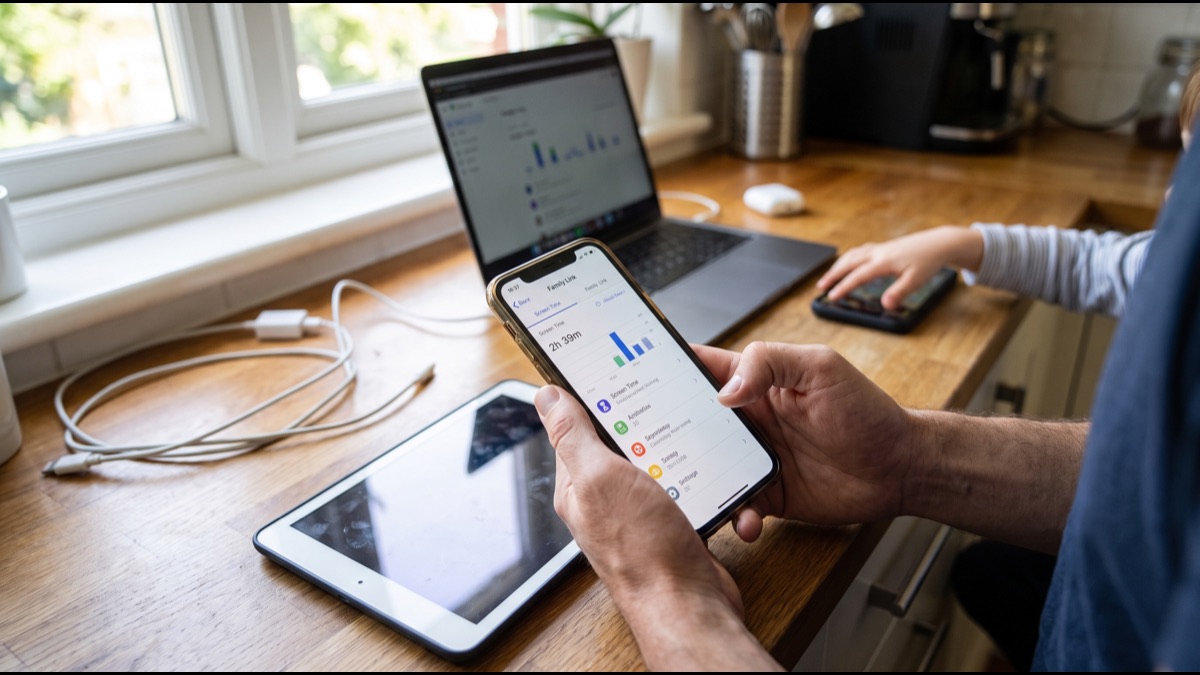
Parental control apps promise something that sounds simple: keep track of what a child does on a phone, limit how long they spend on it, and block content that is not appropriate for their age. In practice, delivering on that promise requires several distinct technical systems working together, each with its own capabilities and its own blind spots. Understanding how these systems actually function, rather than how they are marketed, makes it much easier to set realistic expectations for what they can catch and what they simply cannot see.
The Three Layers Parental Control Apps Actually Operate On
Most parental control products combine three technically distinct layers: device-level software installed directly on a phone or tablet, network-level filtering that intercepts traffic before it leaves the home network, and app-based monitoring that watches activity within specific applications, most commonly social media and messaging apps.
Each layer sees a different slice of a child's digital activity, and none of them alone provides complete coverage, which is why most serious parental control suites, including well-known consumer products, bundle at least two of these three approaches rather than relying on a single mechanism.
Confusing these layers is common among parents shopping for a solution; a product marketed as a screen time app might only cover device-level usage tracking, while a separate router-based product only covers network traffic, and neither alone addresses the other's blind spots.
Device-Level Monitoring: How MDM-Style Controls Work
Device-level parental control apps generally rely on the same underlying technology used by corporate IT departments to manage employee phones, called mobile device management, or MDM, which grants the installed app elevated permissions to observe and restrict what happens on the device itself.
On modern smartphones, this typically means the parental control app requests special accessibility permissions, or on iOS specifically, uses Apple's Screen Time API and supervised-device profiles, which let a companion app or a parent's separate device set app limits, content restrictions, and downtime schedules that are enforced by the operating system rather than by the third-party app alone.
Because these controls are enforced at the operating-system level rather than purely within an app that could simply be closed or deleted, MDM-style device management is generally harder for a tech-savvy teen to disable outright, though it typically requires the parent's device or account credentials to remove, which is itself a meaningful practical limitation if a child gains access to those credentials.
Network-Level Filtering: How DNS-Based Blocking Works
Network-level filtering works at a different point entirely: instead of monitoring the device, it intercepts the underlying process a device uses to reach any website, called DNS resolution, which translates a readable web address into the numerical address a server actually uses.
A DNS filtering service, which can run on a home router, a dedicated hardware box, or a configuration profile pushed to individual devices, checks each requested domain against a list of blocked or restricted categories before allowing the connection to complete, meaning it can block an entire category of sites, such as gambling or adult content, without needing to inspect the content of the page itself.
The major advantage of DNS-level filtering is that it applies to every device connected to that network without requiring separate software installed on each one, which is part of why many families layer a router-level DNS filter, such as those offered by consumer DNS security services, on top of device-specific apps for redundancy.
App-Based Monitoring and Screen Time Dashboards
App-based monitoring tools work by querying the operating system's own usage-tracking APIs, which most modern phones already collect for their built-in screen time features, then presenting that data in a parent-facing dashboard, often broken down by app category, time of day, and day of week.
Some more invasive app-based tools go further, using accessibility service permissions to read on-screen text or monitor specific app activity, such as flagging particular keywords typed into a messaging app or social platform, a capability that raises the privacy and trust questions discussed later in this article.
Because this layer generally depends on permissions the operating system grants selectively and that can sometimes be revoked by the device user, app-based monitoring tools tend to be the layer most vulnerable to a technically capable teen simply disabling the relevant permission, unless the parental app is also paired with device-level MDM enforcement that prevents permission changes without a parent credential.
How Screen Time Is Actually Measured
Screen time figures reported by parental control apps and by built-in phone features are generally derived from the operating system's process-level activity logs, which record when an app moves to the foreground and how long it remains there before the device is locked or another app takes focus.
This measurement approach is reasonably accurate for total time spent with an app open and active, but it has known quirks: a video playing in the background, a music app running while the screen is off, or a phone left unlocked on a table can all produce screen time figures that do not perfectly reflect actual attention or engagement.
Because these measurements come from the operating system's own accounting rather than the parental control app inventing its own tracking mechanism, screen time figures are generally consistent across different parental control products measuring the same device, even though the dashboards presenting that data can differ considerably in how they categorize and summarize it.
Keyword Blocklists: The Oldest Content Filtering Method
Keyword-based filtering, the oldest and technically simplest content filtering method still in wide use, works by scanning text, whether a search query, a webpage's content, or a message, for the presence of specific flagged words or phrases drawn from a maintained list.
This method is computationally cheap and easy to update, but it is also the least sophisticated, since it cannot reliably distinguish context, meaning it can produce both false positives, blocking legitimate educational content that happens to contain a flagged medical or historical term, and false negatives, missing harmful content that avoids the specific words on the list through misspellings, slang, or coded language.
Most current parental control products use keyword blocklists as one input among several rather than the sole filtering mechanism, generally pairing it with category-based filtering and, increasingly, AI-based classification to reduce both categories of error.
AI Image and Content Classification
More recent parental control products incorporate machine learning models trained specifically to classify images and video frames, most commonly to detect nudity or sexually explicit content, a capability that has become standard in many messaging apps' built-in safety features as well as in dedicated parental control software.
These classifiers typically work by analyzing an image locally on the device or, in some products, sending a hashed or processed version of the image to a cloud service for classification, then returning a confidence score that determines whether the image is blocked, blurred, or flagged for parent review, depending on the product's configuration.
AI image classification is meaningfully more capable than keyword filtering at catching harmful visual content that carries no accompanying text, but it is not infallible, and independent testing of these systems has periodically found both false positives, such as flagging innocuous medical or artistic images, and false negatives with content specifically designed to evade automated detection.
Category-Based Filtering and Website Reputation Databases
Category-based filtering relies on large, continuously updated databases that classify millions of websites and domains into categories such as gambling, violence, social media, or educational content, maintained by commercial web-filtering companies that many parental control products license or integrate rather than build independently.
When a device or network requests a site, the filtering system checks the destination against this categorized database and applies whatever rule the parent has configured for that category, such as blocking gambling sites entirely while allowing social media only during specific hours.
The accuracy of category-based filtering depends heavily on how current and comprehensive the underlying database is, and newly created websites or apps that have not yet been classified represent a genuine, if usually short-lived, gap, since a brand-new domain generally has to be flagged and categorized by the filtering provider before it can be reliably blocked.
Location Tracking and Geofencing Mechanics
Location features in parental control apps typically use a combination of the phone's built-in GPS chip, WiFi network positioning, and cellular tower triangulation, the same underlying location services most map and navigation apps rely on, to determine a device's approximate or precise position.
Geofencing, a common companion feature, works by defining a virtual boundary around a location, such as a school or home, and triggering a notification to the parent's app when the child's device crosses that boundary, a comparison the app performs by continuously checking the device's reported coordinates against the saved boundary shape.
Location accuracy and update frequency involve a real tradeoff with battery life, since continuous high-precision GPS polling drains a phone's battery considerably faster than periodic or WiFi-based positioning, which is why many parental control apps default to a lower-frequency location update schedule unless a real-time tracking mode is specifically enabled.
Why VPNs Defeat Network-Level Filtering
A virtual private network, or VPN, works by routing a device's internet traffic through an encrypted tunnel to a remote server before it reaches its final destination, which means the DNS requests and site content that a home router or network-level filter would normally inspect are encrypted and rerouted before that filter ever sees them.
Because DNS-based and router-level filtering depend specifically on being able to observe and evaluate the destination of outgoing traffic, a functioning VPN essentially removes the network's visibility into that traffic entirely, which is why VPN circumvention is widely recognized as one of the most significant practical limitations of network-level parental controls.
Many parental control products have responded by specifically detecting and blocking known VPN app installations at the device level, or by requiring device-level MDM permissions that prevent a user from installing unapproved apps at all, addressing the gap through device control rather than trying to filter around encrypted VPN traffic itself.
The Encrypted Traffic Problem
Beyond VPNs specifically, the broader shift toward encrypted web traffic, primarily through the HTTPS protocol now used by the overwhelming majority of websites, and encrypted messaging protocols used by apps like WhatsApp and Signal, has fundamentally limited what network-level and even some device-level monitoring tools can actually see.
With HTTPS, a filter can generally still see which domain a device is connecting to, since that information is typically visible even in encrypted connections, but it cannot see the specific page content, search terms within a site, or the substance of messages exchanged inside an end-to-end encrypted app, a meaningfully different level of visibility than filtering technology had in the era of largely unencrypted web traffic.
This is why category and domain-based blocking remains the primary tool for network-level filtering in the current encrypted-web era, while message content monitoring, where it exists at all in parental control products, generally has to happen on the device itself, reading what appears on screen, rather than by intercepting network traffic.
Cross-Device and Cross-Account Gaps
One of the most consistently underestimated limitations of parental control software is that its coverage generally stops at the boundary of the devices and accounts it was actually installed on or configured to monitor, meaning a child's activity on a friend's phone, a school-issued laptop, a library computer, or an unmanaged secondary device is typically invisible to the parent's monitoring setup entirely.
This gap has grown more significant as teens increasingly have access to multiple devices, shared family accounts, and school-issued technology that parents may have limited or no ability to configure with monitoring software, particularly when school devices are managed by a separate institutional IT policy that does not integrate with a family's chosen parental control product.
Family psychologists and digital safety researchers who study this gap generally note that it is one of the strongest arguments for supplementing technical monitoring with ongoing conversation about online behavior, since no combination of software can achieve the complete device coverage that consistent parental controls would require.
How Router-Level and WiFi-Based Controls Differ
Router-level parental controls, built into many consumer WiFi routers or added through a separate network security device, apply filtering and time restrictions to every device connected to that specific WiFi network, without requiring any software installed on the individual devices themselves.
This network-wide approach is efficient for managing gaming consoles, smart TVs, and other devices that cannot easily run a dedicated parental control app, but its protection is inherently tied to the network; a phone that leaves the home WiFi and switches to cellular data or a different WiFi network is no longer subject to those router-level rules at all.
Because of this network-dependency limitation, router-level controls are generally most effective as one layer in a broader strategy rather than a complete solution on their own, particularly for older children and teens who regularly use devices outside the home network.
The Privacy Tradeoff for Parents
Parents adopting parental control software face their own practical tradeoffs, since more comprehensive monitoring capability generally requires granting the app broader device permissions, and in some cases means the parental control company itself has access to data about family browsing habits, location history, or communication metadata.
Privacy researchers who have reviewed parental control apps have periodically raised concerns about how some products handle and store the data they collect, including cases where security vulnerabilities in a monitoring app's own servers exposed sensitive family data to unauthorized access, a risk that exists precisely because the app is designed to centralize sensitive information in the first place.
This means choosing a parental control product involves evaluating not only its filtering and monitoring capability but also its own data handling and security practices, since a poorly secured monitoring app can, in principle, create a new privacy risk while attempting to reduce another one.
The Privacy Tradeoff for Teens
For the teen or child being monitored, parental control software raises a distinct set of privacy and developmental concerns that family psychologists have studied directly, since adolescence is generally understood as a period when a degree of privacy and autonomy plays a meaningful role in identity development and the formation of trust in relationships.
Research on the effects of monitoring software has generally found mixed results: transparent monitoring, discussed openly between parent and child with an agreed rationale, tends to correlate with better outcomes than covert or heavily secretive monitoring, which some studies associate with increased conflict and, in some cases, teens becoming more skilled at working around the monitoring rather than genuinely safer.
Digital wellbeing researchers generally recommend that the specific type and intensity of monitoring be adjusted to a child's age and demonstrated judgment, since the appropriate balance for a younger child first getting a phone looks meaningfully different from what is appropriate for an older teen approaching independent adulthood.
What Realistically Works Best
Family safety researchers and organizations that study this space consistently emphasize that no single technical layer, whether device-level MDM, network-level DNS filtering, or app-based monitoring, provides complete protection on its own, and that combining several layers closes more gaps than relying on any single tool, though even a full combination still cannot cover devices or networks outside a parent's control.
The technical limitations described throughout this article, VPN circumvention, encrypted traffic, and cross-device gaps chief among them, are not flaws unique to any particular product but structural limits of how these categories of technology work, meaning marketing claims of complete or foolproof monitoring should generally be treated with some skepticism.
Most guidance from child safety and digital literacy organizations ultimately frames parental control software as one component of a broader approach that also includes ongoing conversation, age-appropriate expectations, and gradually increasing autonomy, rather than treating any technical tool as a substitute for that ongoing relationship.
Parental control apps combine device permissions, network-level filtering, and increasingly capable content classification into a layered system, but each layer has a specific technical boundary, from encrypted traffic to devices outside a parent's control, that no single product fully closes. Understanding these mechanisms, rather than relying on marketing descriptions of comprehensive protection, gives parents a more realistic picture of what the software can actually catch, what it cannot see at all, and where a conversation still has to do the work a filter cannot.
Sources
- Common Sense Media — Independent research and reviews on parental control tools and family media habits.
- Internet Matters — Guidance on parental controls, online safety, and digital parenting.
- U.S. Federal Trade Commission — Consumer protection guidance and enforcement actions related to children's privacy and monitoring apps.
- NSPCC — Child safety research and guidance on online risks and parental monitoring.
FAQ
Can parental control apps see messages sent through encrypted apps like WhatsApp or Signal?
Generally no. End-to-end encryption means the content of messages in apps like WhatsApp or Signal is unreadable to anything outside the conversation, including most parental control software, though some apps can still see that the app was opened and for how long.
Do parental control apps work if a teen uses a VPN?
A VPN can defeat network-level filtering by rerouting and encrypting traffic before it reaches a router or DNS filter, which is why many parental control apps also block or flag VPN app installation as part of device-level restrictions.
What is the difference between DNS filtering and device-level monitoring?
DNS filtering blocks access to categories of websites at the network level before a connection is made, while device-level monitoring runs software directly on the phone or tablet to track app usage, screen time, and sometimes on-screen content regardless of network.
Can a child bypass parental control apps by using a friend's device or a school computer?
Yes, this is one of the most common real-world gaps; parental control software installed on one device or network generally has no visibility into activity on devices it was never installed on or networks it does not control.
Do parental control apps invade a teen's privacy?
Privacy researchers and family psychologists generally agree that heavy, covert monitoring can damage trust and does not always improve safety outcomes, which is why many experts recommend transparent, age-appropriate monitoring discussed openly with the child rather than silent surveillance.
About the Author
We reference Common Sense Media, Internet Matters, the U.S. Federal Trade Commission, and the NSPCC to explain the background and current understanding of this topic.
Loved This Article?
Share it on WhatsApp → Share it on WhatsApp
Get more guides in your inbox — Subscribe to our newsletter for weekly surprising stories from Egypt, Saudi Arabia, Dubai, and beyond.