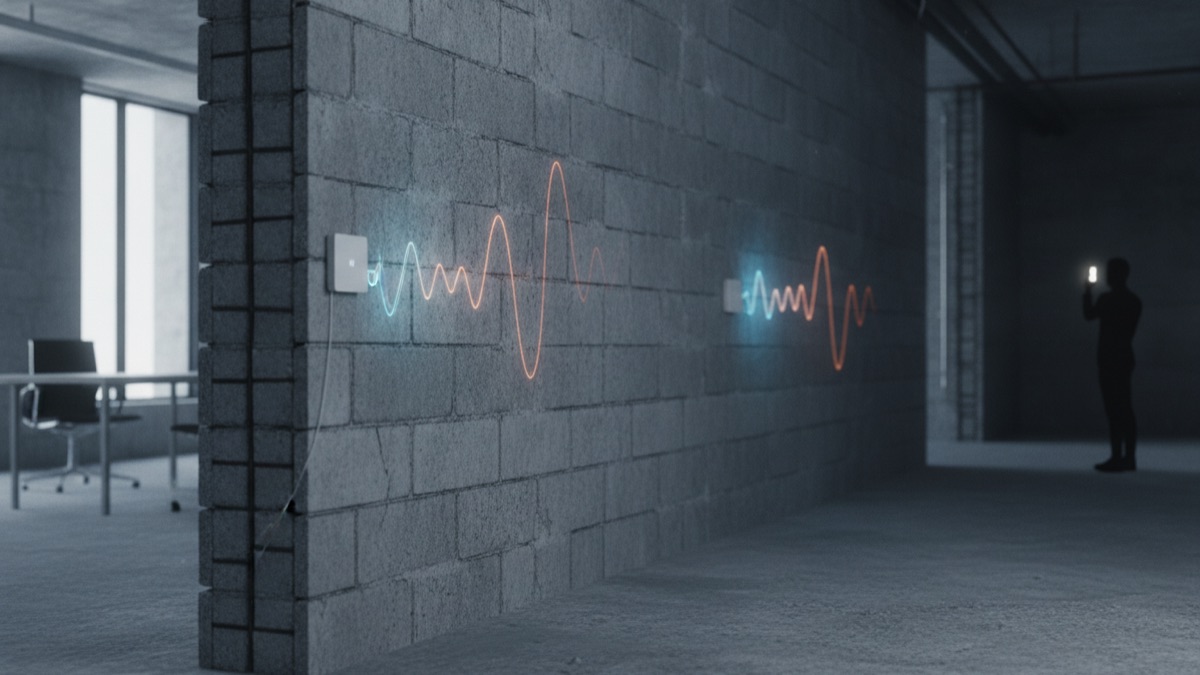
Almost everyone has stood in a bedroom two doors down from the router, watching a video buffer for no obvious reason, and blamed the internet provider when the real culprit was a few centimeters of drywall, brick, or concrete standing directly in the signal's path. WiFi does not simply stop at a wall; it interacts with it physically, losing energy, bending, reflecting, and scattering in ways that depend on frequency and material, and understanding that interaction explains far more about home network dead zones than any provider's marketing claims about maximum speed.
What a WiFi Signal Actually Is
A WiFi signal is a radio wave, a form of electromagnetic radiation traveling outward from a router's antenna at specific frequency bands, most commonly 2.4 gigahertz, 5 gigahertz, and increasingly 6 gigahertz, each carrying encoded data as rapid variations in the wave.
Like any radio wave, it radiates outward in roughly all directions from the antenna, growing weaker simply from spreading out over a larger area, and it interacts with every physical object in its path, some of which absorb its energy, some of which reflect it, and some of which let most of it pass through relatively unaffected.
Because a home is full of walls, furniture, appliances, and people, all of which affect radio waves differently, the signal that actually reaches a laptop in a back bedroom is the cumulative result of many small physical interactions, not a single clean beam traveling in a straight line from router to device.
Attenuation: The Physics of Losing Signal Strength
The general term for a radio signal losing strength as it passes through a material is attenuation, and it happens because part of the wave's energy is absorbed by the material, typically converted into a tiny amount of heat, rather than continuing to propagate through it.
Attenuation is measured in decibels, and different materials attenuate WiFi by very different amounts: a thin interior drywall partition might cost a signal only a few decibels, while a load-bearing concrete wall or a brick exterior wall can cost twenty decibels or more, a difference that translates into a dramatically shorter effective range.
Because decibel loss is logarithmic, a wall that costs even ten additional decibels of attenuation can cut the signal's remaining strength by roughly ninety percent compared to the same signal without that wall, which is why one extra interior wall between a router and a device can feel like a disproportionately large drop in usable speed.
Why Frequency Changes Everything About Wall Penetration
Higher-frequency radio waves carry more data per second under ideal conditions, but they also have shorter wavelengths, which makes them interact more readily with small objects and material boundaries, generally causing them to be absorbed or scattered more aggressively than lower-frequency waves of similar power.
This is precisely why 2.4 gigahertz WiFi, the lowest of the three common bands, generally travels farther and penetrates walls better than 5 gigahertz, even though 5 gigahertz typically delivers faster speeds at close range with less interference from neighboring devices and networks.
Router manufacturers exploit this tradeoff deliberately, which is why most modern routers broadcast both 2.4 gigahertz and 5 gigahertz simultaneously, letting a device automatically favor whichever band currently offers the better balance of range and speed for its specific location in the home.
How Different Wall Materials Absorb Radio Waves
Building materials vary enormously in how much WiFi energy they absorb, primarily based on density, water content, and electrical conductivity, three properties that determine how strongly a material interacts with electromagnetic radiation passing through it.
Drywall and wood-frame interior partitions are among the least disruptive common materials, typically costing a WiFi signal only a small amount of strength, while brick, concrete, plaster over metal lath, and stone are substantially more disruptive, sometimes cutting a signal's usable strength by half or more per wall.
Water is a particularly effective radio wave absorber, which is part of why WiFi struggles in bathrooms with tiled, moisture-retaining walls, and why aquariums, water heaters, and even a room full of people, whose bodies are largely water, can measurably weaken a signal passing through or near them.
Why Metal Is the Worst Enemy of a WiFi Signal
Metal behaves fundamentally differently from typical building materials when it comes to radio waves, because it conducts electricity, and conductive materials reflect and block electromagnetic waves far more aggressively than they absorb them.
A single layer of metal foil insulation, a steel stud wall common in commercial and some modern residential construction, a metal filing cabinet, or even a large mirror with a metallic backing can block a meaningful share of WiFi signal almost entirely, functioning more like a wall built specifically to stop radio waves than an ordinary household obstacle.
This is why homes and offices built with substantial structural steel, or older buildings with chicken-wire lath beneath plaster walls, often report WiFi dead zones that seem disproportionate to the number of walls involved, since the metal is doing far more damage to the signal than an equivalent thickness of any non-conductive material would.
The Inverse Square Law and Distance Loss
Separate from material attenuation, a WiFi signal also weakens simply from traveling farther through open air, following a physical principle called the inverse square law, under which signal power falls off proportionally to the square of the distance from the source.
This means doubling the distance from a router, with no walls involved at all, reduces the signal's power to roughly a quarter of its original strength, which is why a router in the corner of a large open apartment can still struggle to reach a room clear across it, even without a single wall in the way.
In practice, distance loss and material attenuation combine, so a device positioned both far from the router and behind several walls experiences both effects stacking together, which explains why some rooms feel disproportionately worse than their distance alone would suggest.
How Reflection and Multipath Interference Distort Signal
When a WiFi signal encounters a hard, flat surface like a mirror, a metal appliance, or even a plain wall at certain angles, part of the wave reflects rather than passing through or being absorbed, bouncing off in a new direction much like light reflecting off glass.
Because a device typically receives both the direct signal and several reflected copies of the same signal arriving fractionally later, from slightly different paths, these copies can interfere with each other constructively or destructively, a phenomenon called multipath interference, which can either strengthen or, more often in problematic layouts, weaken and distort the received signal.
Modern WiFi standards actually exploit multipath to some degree through techniques like MIMO, using multiple antennas to intelligently combine several signal paths, but uncontrolled multipath in a cluttered, reflective room can still meaningfully degrade the practical quality of a connection even when raw signal strength looks adequate.
Why 6GHz WiFi Struggles Even More Indoors
The newest widely available WiFi band, 6 gigahertz, offers substantially more available spectrum and less interference from legacy devices, but it follows the same fundamental physics as 5 gigahertz, only more so, meaning it is attenuated by walls and distance even more aggressively than either older band.
Because of this, 6 gigahertz WiFi is generally most useful for high-bandwidth applications in the same room as the router or access point, such as streaming to a nearby television or transferring large files between devices a few meters apart, rather than as a primary way to reach distant rooms.
Network engineers generally recommend treating 6 gigahertz as a supplementary high-speed band layered on top of 2.4 and 5 gigahertz coverage, rather than as a replacement, precisely because its superior speed comes at the direct cost of the range and wall penetration that lower frequencies provide.
How Router Placement Changes Real-World Coverage
Because attenuation compounds with every wall a signal must cross, the single most impactful and cost-free change most households can make is router placement, positioning the device centrally and elevated rather than tucked in a corner, closet, or low cabinet near one edge of the home.
Routers placed near large appliances, metal cabinets, aquariums, or thick structural walls suffer disproportionately, since those objects both absorb and reflect signal aggressively right at the source, before the wave has even had a chance to reach the rest of the home.
Network technicians commonly find that simply relocating a router from an enclosed media cabinet to an open shelf in a central hallway resolves complaints that homeowners had assumed required new hardware entirely, underscoring how much of real-world WiFi performance is architectural rather than purely technological.
Why Channel Congestion Feels Like a Wall Problem
In densely populated buildings, especially apartment complexes, dozens of neighboring WiFi networks can overlap on the same 2.4 gigahertz or 5 gigahertz channels, creating interference that degrades effective throughput in a way that can feel identical to a wall-caused dead zone even though the underlying cause is entirely different.
Unlike attenuation, which is a physical energy loss, channel congestion is a scheduling and interference problem, where multiple networks essentially compete for the same slice of radio spectrum, forcing devices to wait, retransmit, and back off, which lowers real-world speed without necessarily lowering raw signal strength.
Because both problems can produce similar symptoms, slow speeds and dropped connections in certain rooms, diagnosing whether the cause is structural attenuation or channel congestion generally requires checking a signal strength reading alongside a separate check of nearby network congestion, rather than assuming either cause in isolation.
How Mesh Systems Actually Solve Multi-Room Coverage
A mesh WiFi system replaces the single-router model with multiple coordinated access points distributed throughout a home, each covering its own smaller area, so that a device connects to whichever nearby node offers the strongest signal rather than relying on one transmitter to reach every room through every wall.
Because each mesh node only needs to cover its immediate vicinity, the signal a device actually receives has to cross far fewer walls and far less distance than it would trying to reach a single central router from a far corner of a large or multi-story home, directly addressing the attenuation problem rather than trying to overpower it.
Mesh nodes communicate with each other either wirelessly, over a dedicated backhaul channel, or over a wired connection, and networking engineers generally consider wired backhaul meaningfully more reliable in homes with dense or metal-heavy construction, since it removes one more wireless hop that would otherwise be subject to the same attenuation problems described throughout this article.
Powerline and Wired Backhaul as Alternatives to Repeating Signal
Powerline networking adapters, which send data over a home's existing electrical wiring, offer an alternative way to extend network coverage to distant rooms without relying on WiFi signal having to cross multiple walls at all, converting the problem into a wired one for at least part of the journey.
Performance varies considerably based on a home's electrical wiring quality and age, and powerline adapters generally perform best when plugged directly into a wall outlet rather than a power strip or surge protector, since additional electrical components in the path can introduce noise that reduces data throughput.
For homes with especially thick or metal-heavy walls, running a physical ethernet cable to a secondary access point, even informally along baseboards or through existing conduit, remains the most reliable way to guarantee strong WiFi in a distant room, since a wired connection is entirely unaffected by the attenuation, reflection, and interference issues that limit wireless-only solutions.
How Beamforming and MIMO Antennas Help Push Through Obstacles
Modern routers commonly use a technique called beamforming, in which multiple antennas coordinate their transmissions to concentrate signal energy more directly toward a connected device rather than broadcasting equally in every direction, improving effective range and penetration without increasing total transmission power.
MIMO, short for multiple-input multiple-output, uses several antennas simultaneously to send and receive multiple data streams at once, which can meaningfully improve throughput in environments with significant multipath reflection, turning what would otherwise be interference into additional usable data capacity.
While these technologies genuinely improve real-world performance compared to older single-antenna routers, network engineers are clear that they mitigate, rather than eliminate, the fundamental physics of attenuation, meaning a sufficiently thick concrete wall will still meaningfully degrade signal regardless of how sophisticated the router's antenna array is.
Practical Fixes That Actually Change Signal Through Walls
Beyond router placement and mesh systems, several specific, well-supported adjustments meaningfully improve WiFi performance through walls: switching congested devices to the 2.4 gigahertz band for better range, updating router firmware to benefit from improved signal processing algorithms, and reducing the number of walls between the router and the most frequently used devices where floor plan allows.
Adjusting antenna orientation on routers with external antennas can also help, since WiFi antennas typically radiate most strongly perpendicular to their length, meaning a vertically oriented antenna favors horizontal, same-floor coverage, while angling antennas can sometimes improve coverage to rooms on a different level.
For persistent dead zones that resist all of these adjustments, professional site surveys using dedicated signal-mapping tools can identify exactly which walls or objects are causing the most attenuation, informing a more targeted fix than simply guessing at router placement or purchasing additional equipment.
Common Misconceptions About WiFi and Walls
A common misconception is that a stronger router, meaning one with a higher advertised power output, will reliably solve a wall-penetration problem; in most countries transmission power is capped by regulation at similar limits across consumer routers, so differences in real-world range usually come from antenna design and signal processing rather than raw transmit power.
Another misconception treats WiFi extenders as functionally identical to mesh systems; a basic extender simply rebroadcasts a weakened signal it has already received, which can actually reduce overall network speed, while a properly configured mesh system creates a coordinated, often wired-backed network of full-strength access points.
A third misconception assumes 5 gigahertz is simply a strictly better, faster version of 2.4 gigahertz for every situation; in reality the two bands make genuinely different physical tradeoffs between speed and wall penetration, and the right choice depends entirely on the specific distance and obstacles a given device faces.
WiFi signal loss through walls is not a mysterious inconsistency in home network performance; it is a predictable outcome of well-understood radio physics, attenuation shaped by material density and water content, frequency-dependent absorption, distance loss following the inverse square law, and multipath interference from reflective surfaces, each behaving according to established principles rather than random chance. Understanding those mechanisms points directly toward the fixes that actually work, thoughtful router placement, appropriate band selection, mesh systems with wired backhaul where possible, and realistic expectations about what any wireless technology can do against a sufficiently thick wall.
Sources
- U.S. Federal Communications Commission — Regulatory standards for WiFi transmission power and spectrum allocation.
- Wi-Fi Alliance — Technical standards and certification guidance for WiFi frequency bands and technologies.
- National Institute of Standards and Technology — Research on radio wave propagation and materials science.
- Institute of Electrical and Electronics Engineers — Technical standards underlying 802.11 WiFi protocols.
FAQ
Why does WiFi get weaker through walls?
Walls absorb and scatter part of the radio energy in a WiFi signal as it passes through, a process called attenuation, so less energy reaches the other side; denser materials like concrete and brick absorb far more than thin drywall.
Is 2.4GHz or 5GHz better through walls?
2.4GHz generally penetrates walls better than 5GHz because lower-frequency waves are less readily absorbed by common building materials, though 5GHz offers higher speeds at close range with less interference.
Do mesh WiFi systems actually fix dead zones?
Yes, because mesh systems place multiple access points throughout a home so that no single signal has to pass through many walls to reach a device, rather than relying on one router transmitting through the entire structure.
Why does metal in walls or furniture kill WiFi signal almost completely?
Metal reflects and blocks radio waves far more aggressively than most building materials because it conducts electricity, which disrupts the electromagnetic wave almost entirely rather than merely absorbing part of its energy.
Can changing my router's channel improve WiFi through walls?
Changing channels does not change how far a signal travels through a wall, but it can reduce interference from neighboring networks on the same channel, which often improves the effective, usable signal quality in crowded buildings.
About the Author
We reference the U.S. Federal Communications Commission, the Wi-Fi Alliance, the National Institute of Standards and Technology, and the Institute of Electrical and Electronics Engineers to explain the background and current understanding of this topic.
Loved This Article?
Share it on WhatsApp → Share it on WhatsApp
Get more guides in your inbox — Subscribe to our newsletter for weekly surprising stories from Egypt, Saudi Arabia, Dubai, and beyond.