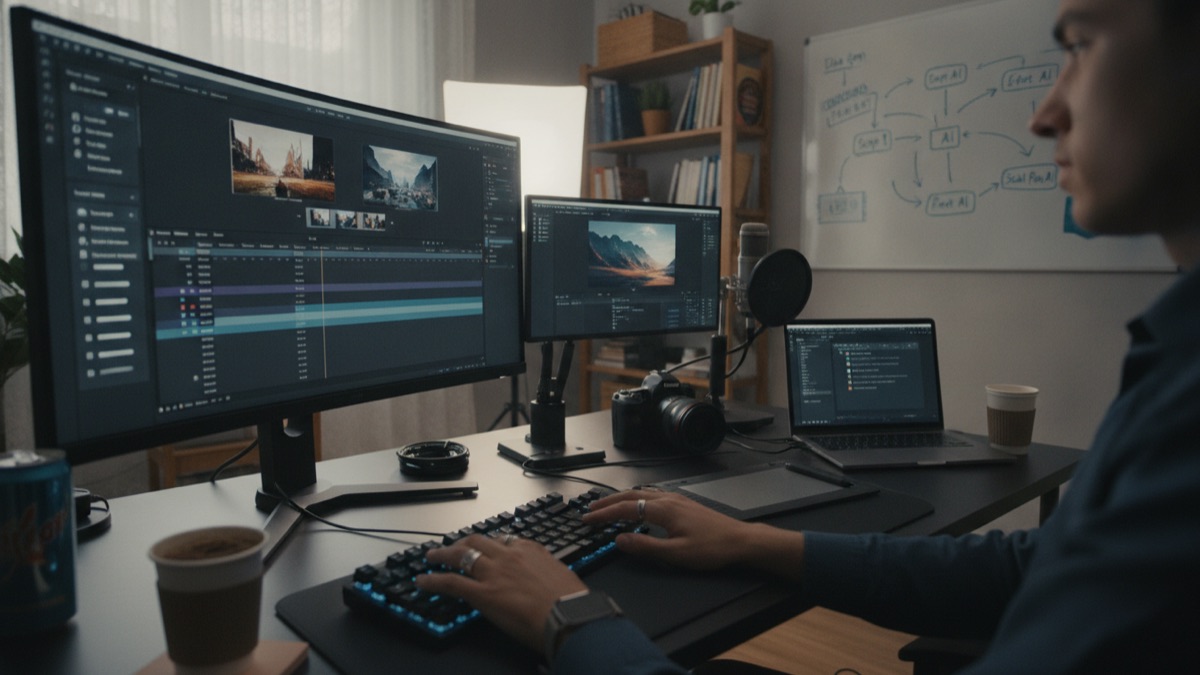
The image of an AI-assisted content creator that circulates online is usually a single dramatic claim: one person running an entire media operation because a chatbot writes their scripts for them. The reality inside most working creator workflows looks far less cinematic and considerably more useful. AI tools have quietly slotted into specific, narrow tasks across the production pipeline, from the first messy idea to the caption on the final post, and the creators getting real time back are the ones who have figured out which parts of the job are worth handing off and which still need a human making the actual call.
Brainstorming Is Where Most Creators Start
The earliest and most common entry point for AI in a creator's workflow is idea generation, not because brainstorming is the hardest part of the job but because it is the part most prone to staring at a blank page. Asking a chatbot for twenty video hook ideas around a topic, or ten different angles on a trending story, produces a rough list fast, and a rough list is easier to react to than an empty document.
The actual value here is less about any single suggestion being brilliant and more about breaking the inertia of starting from nothing. Creators who use this step effectively tend to treat the output as raw material to react against, keeping one or two ideas, discarding the rest, and combining fragments from several suggestions into something that did not exist in any single generated response.
This is also the stage where prompt specificity matters most, since a vague request like "give me video ideas" produces generic output that could apply to almost any channel, while a request that includes the niche, the audience, recent high-performing formats, and the platform's current style produces something closer to usable.
Turning One Long Video Into a Week of Shorts
Repurposing long-form content into short vertical clips has become one of the most mechanically repetitive tasks in a creator's schedule, and it is also one of the tasks most successfully offloaded to AI-assisted tools. A thirty-minute podcast or interview can contain several minutes of genuinely quotable, self-contained moments, and finding them by scrubbing through the full recording manually is slow, tedious work.
A growing category of repurposing tools uses transcript analysis and engagement signals, such as pacing changes, emphasis, or emotionally charged language, to flag candidate clips automatically, then hands the creator a shortlist to review and select from rather than requiring a first pass through the entire raw file. The editing decision, which clip actually represents the video well and fits the creator's voice, still sits with a person, but the search process that used to consume the most time has been compressed considerably.
Creators who rely heavily on this workflow generally describe the tools as good at surfacing candidates and weak at final judgment, which matches how the tools are typically built: pattern detection across audio and transcript data is a task suited to automation, while deciding what represents the brand and what an audience will actually respond to remains a subjective call that still benefits from a human watching the clip before it goes out.
Prompt Templates for a Consistent Voice
Creators who post daily or near-daily face a specific problem that occasional posters do not: maintaining a recognizable, consistent voice across dozens of pieces of content without every caption sounding like it was written by committee. A common solution is building a reusable prompt template, one that encodes tone, sentence length, favorite phrases, topics to avoid, and formatting preferences, so that every new draft starts from the same baseline instead of being reinvented from scratch each time.
This differs meaningfully from asking a general-purpose chatbot to "write a caption" cold each time, because a template with explicit voice instructions and a couple of example captions attached tends to produce output that requires lighter editing, while a bare request produces generic marketing copy that reads the same regardless of who is supposedly saying it.
Building a good template is itself a skill that takes iteration: most creators who use this approach report going through several rounds of revision before a template reliably produces on-brand drafts, adjusting instructions after noticing a recurring pattern the model gets wrong, such as an overused phrase or a tone that reads more formal than the creator's actual style.
Scripting Without Losing the Creator's Own Rhythm
Full script generation is the AI-assisted workflow most likely to produce content that sounds noticeably artificial if used carelessly, because scripted speech has a rhythm shaped by how a specific person actually talks, including verbal habits, pacing, and asides that a model trained on generic writing does not automatically reproduce.
Creators who script successfully with AI assistance generally use the model for structure rather than final wording: an outline of beats, a rough draft to react against, or a first pass at organizing a complicated explanation, then rewrite the actual sentences themselves or heavily edit the output until it matches how they would genuinely say it out loud.
This distinction, using a model for structure versus using it for final voice, comes up repeatedly across creator workflows, and it is one of the more reliable signals for telling apart content that was produced efficiently with AI assistance from content that reads as obviously AI-generated: the underlying organization can come from a tool, but the specific words spoken on camera usually need a human pass to sound like an actual person.
Thumbnail and Cover Image Generation
Image generation tools have become a meaningful part of the visual production pipeline for creators who cannot afford a dedicated designer, particularly for thumbnail concepts, blog cover images, or quick visual mockups used to test an idea before committing production time to it.
The most common practical use is not generating a final publish-ready image directly but generating several rough visual concepts quickly to decide on composition, color scheme, or overall mood before either refining the winning concept further or handing a clear creative direction to a human designer or editor for final polish.
Platform-specific constraints still shape this workflow considerably: thumbnail conventions differ meaningfully between platforms, text legibility at small sizes matters more than most generated images account for by default, and creators who skip a manual pass to check these details tend to see noticeably lower click-through performance than ones who treat generated images as a draft rather than a finished asset.
Research and Fact-Checking Before Publishing
Content creators covering news, technology, science, or any topic where factual accuracy matters use AI tools differently than for creative tasks: less for generating claims and more for quickly summarizing a long source document, comparing multiple articles on the same story, or explaining unfamiliar technical terminology before scripting an explanation for a general audience.
This use case comes with a well-documented risk that experienced creators have learned to work around: language models can produce fluent, confident-sounding summaries that include a subtly wrong detail, a misattributed quote, or an outdated figure, particularly for fast-moving stories, so creators who rely on AI-assisted research for anything that will be stated as fact on camera generally cross-check specific claims, numbers, and quotes against the original source before publishing rather than trusting a generated summary directly.
The practical rule that has emerged across most established creator workflows is treating AI-generated research summaries the way a careful writer treats any single secondary source: useful for getting oriented quickly, not sufficient on its own to state something as settled fact to an audience.
Turning a Rough Idea Into a Usable Prompt
A recurring friction point across nearly every workflow described so far is that getting good output from a chatbot depends heavily on how the request is phrased, and most creators are not trained prompt writers. Someone skilled at making videos or building an audience is not automatically skilled at specifying role, context, constraints, and output format in a single text box, and the gap between a vague request and a well-structured one is often the difference between a usable first draft and a generic one that needs a full rewrite.
This gap is part of what a category of prompt-generation tools has grown around. Verbito, for instance, is built specifically to take a short, rough description of what someone wants and expand it into a more complete prompt, with explicit role, context, and formatting instructions, before it gets sent to a model like ChatGPT, Claude, or Gemini for the actual generation. For a creator juggling captions, scripts, and thumbnail briefs across multiple platforms in a single afternoon, that step can save real time compared to hand-writing a fully specified prompt for every single task from scratch, even though the quality of the final output still depends on the underlying model and, ultimately, the creator's own editing pass.
This kind of tool sits alongside rather than replaces the other pieces of a creator's stack: it addresses the specific friction of prompt-writing, not the editing judgment, brand voice, or factual verification that still require a person paying attention to the final result.
Editing and Repurposing Software Beyond Chatbots
A significant share of what gets loosely called "AI-assisted content creation" happens inside dedicated editing software rather than a general chatbot interface: automatic captioning and subtitle generation, background noise removal, filler-word detection that flags every "um" for quick removal, and auto-reframing that tracks a speaker's face to convert horizontal footage into a vertical format without manual cropping.
These tools tend to be more narrowly scoped and more reliable for their specific task than a general-purpose chatbot, precisely because they are built to do one thing, such as transcription or noise removal, rather than generate open-ended text, and creators who have built an efficient workflow typically combine several of these narrow tools with a general chatbot for ideation and writing rather than expecting a single tool to handle the entire pipeline.
This combination approach, several specialized tools chained together rather than one tool doing everything, reflects how most professional workflows in any industry actually get built, and it is a useful corrective to marketing narratives that describe a single AI product as a complete replacement for an entire production process.
Where AI-Generated Content Still Underperforms
Despite genuine time savings in the areas described above, several parts of content creation remain resistant to meaningful AI assistance, and creators who have tried to push automation into these areas generally report disappointing results. Comedic timing, a distinctive on-camera personality, and genuine spontaneous reaction are difficult to script or generate convincingly, because much of what makes them work depends on split-second judgment and authentic delivery that current tools do not reliably produce.
Audience trust is another area where shortcuts tend to backfire. Audiences who follow a creator specifically for their perspective or personality can often sense when a caption, script, or response reads as generic or off-voice, even without being able to articulate exactly why, and creators who lean too heavily on unedited AI output across visible, audience-facing text have reported measurable drops in engagement.
The practical pattern that has emerged is that AI assistance works best on the parts of content creation that are mechanical or repetitive, research summarization, first-draft structure, clip discovery, rough visual concepts, while the parts that depend on genuine personality, judgment, and lived experience remain squarely a human responsibility.
Building a Workflow Instead of Chasing Individual Tools
Creators who report the largest genuine time savings rarely describe relying on a single all-purpose AI tool. Instead, they describe a workflow: a specific tool for transcript-based clip discovery, a separate prompt template for caption drafting, a dedicated image tool for thumbnail concepts, and a general chatbot for research summaries and brainstorming, each handling a narrow task it is reasonably good at rather than one tool being asked to do everything adequately.
This workflow-first approach also tends to be more resilient to any single tool changing, since a creator who has built habits around a repeatable process, rather than around one specific product's interface, can swap a component when a better option appears or when a tool changes its pricing or features, without having to rebuild an entire production process from scratch.
The creators who talk about AI tools as a genuine productivity gain, rather than a novelty or a source of anxiety about being replaced, are consistently the ones treating these tools as components slotted into an existing creative process they still control, not as a replacement for the judgment, personality, and editing decisions that were always the actual job.
How Creators Vet a New AI Tool Before Adopting It
The number of tools marketed at content creators has grown fast enough that evaluating a new one has become its own small skill. Creators who have built a stable workflow tend to describe a similar filtering process: testing a new tool on a real, previously completed task rather than a demo prompt, comparing its output against what they already produced manually, and specifically checking whether the tool's output requires more editing time than it claims to save.
Cost is a second filter that matters more for individual creators than it does for larger media operations, since a tool billed per generation or per minute of processed video can become expensive quickly at daily posting volume, and creators who track this closely often find that a cheaper, narrower tool used consistently outperforms an expensive, broad one used inconsistently because the learning curve never gets crossed.
A third, less discussed filter is data handling: creators working with unreleased footage, sponsor briefs under embargo, or scripts for paid client work have reasons to check a tool's data retention and training-use policies before uploading anything sensitive, a step that is easy to skip when a tool promises to save time immediately and easy to regret later if a draft or a client's unreleased plans surface somewhere unexpected.
Sources
- Reuters Technology — Reporting on AI adoption trends among digital creators and media companies.
- Social Media Today — Industry coverage of creator workflow tools and platform-specific content strategy.
- Sprout Social Insights — Research and guides on social media content strategy and creator tools.
- WIRED — Technology journalism covering AI tools used in creative and media production.
- Google AI Blog — Background on generative AI capabilities relevant to content and image generation.
FAQ
Do most content creators use AI to write their entire scripts?
Not typically. Most creators who script with AI assistance use it to build structure or a rough first draft, then rewrite the actual wording themselves so it matches their real speaking voice.
Can AI tools automatically turn a long video into short clips?
AI-assisted tools can identify candidate moments using transcript and engagement analysis, but a person typically still reviews and selects the final clips rather than publishing an automated selection directly.
Is it safe to trust AI-generated research summaries for factual content?
Not on their own. Experienced creators cross-check specific claims, numbers, and quotes against original sources before stating them as fact, since generated summaries can include subtly incorrect details.
Does using AI tools hurt audience engagement?
It depends on how visibly the output is used. Creators who lean heavily on unedited AI text in audience-facing captions or scripts have reported engagement drops, while using AI for backend tasks like research or clip discovery is generally less noticeable to audiences.
What is the biggest time-saver for creators using AI tools?
Creators most consistently report the largest time savings from repurposing long-form content into shorts and from reusable prompt templates that keep caption and script drafts closer to their actual voice on the first pass.
How do creators decide whether a new AI tool is actually worth adopting?
Most test it against a real task they have already completed manually, then compare the editing time the tool's output requires against the time it claims to save, rather than trusting a polished demo alone.
About the Author
We reference reporting from Reuters, Social Media Today, Sprout Social, WIRED, and Google's AI research communications to explain the background and current understanding of this topic.
Loved This Article?
Share it on WhatsApp → Share it on WhatsApp
Get more guides in your inbox — Subscribe to our newsletter for weekly surprising stories from Egypt, Saudi Arabia, Dubai, and beyond.