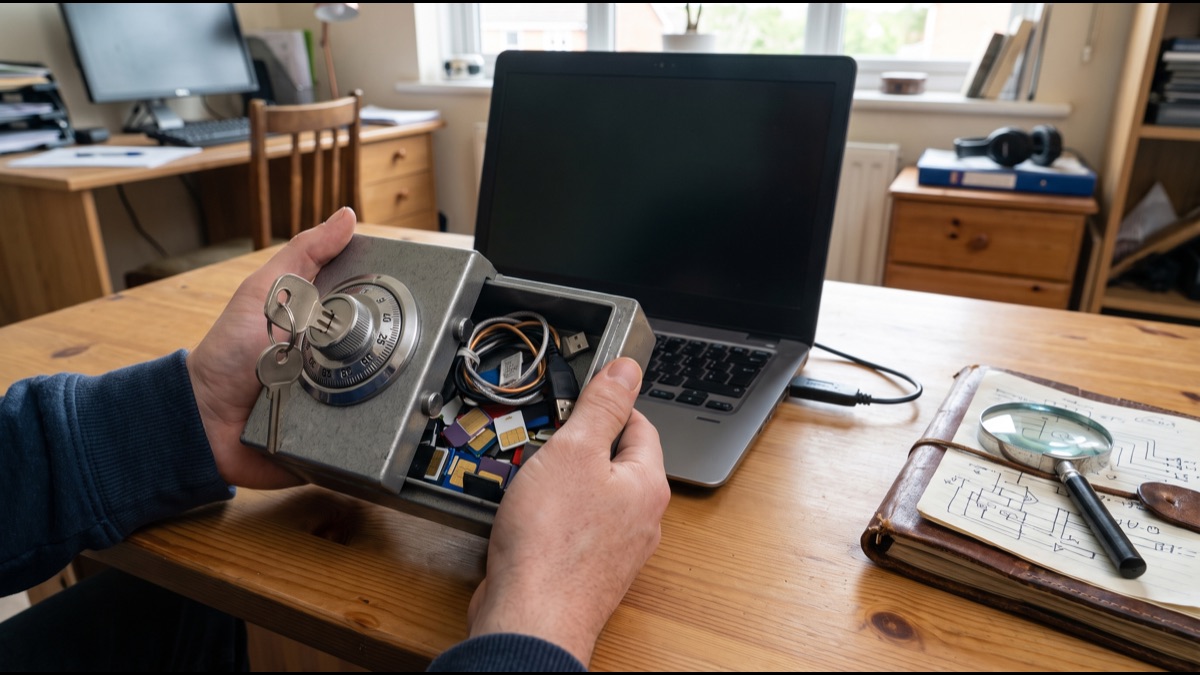
Putting every password you own into a single application sounds like an obviously terrible idea, and the objection is the most common reason people give for not using a password manager. If one place holds everything, a single compromise appears to expose everything at once.
The reason security professionals recommend them anyway is that the architecture is specifically designed so the company operating the service cannot read what it stores, and so a breach of their servers yields encrypted material rather than passwords. Understanding how that works, and where the design genuinely does fail, makes the tradeoff far clearer than the intuition suggests.
The Problem Password Managers Solve
The average person now holds accounts numbering in the dozens or hundreds, far beyond what anyone can manage with distinct memorised passwords, which forces one of a small number of poor compromises.
The most common compromise is reuse, where one password covers many accounts, which means a breach anywhere becomes a breach everywhere as attackers try the recovered credentials across other services.
The second compromise is simplicity, where passwords are short enough to remember and therefore short enough to guess, and the third is writing them down insecurely, which shifts rather than solves the risk.
Why Credential Stuffing Made This Urgent
Attackers no longer need to guess passwords for a specific account, because enormous collections of credentials leaked from past breaches are readily available and can be tried automatically against other services.
This technique, generally called credential stuffing, works because reuse is so widespread that a meaningful fraction of stolen pairs will succeed somewhere else, requiring no cleverness at all.
The practical consequence is that password strength matters less than password uniqueness for many real attacks, since a strong password reused across services is defeated the moment any one of those services is breached.
What a Password Manager Actually Stores
The core of a password manager is an encrypted database, frequently described as a vault, containing credentials along with associated data such as usernames, site addresses, and notes.
This vault exists as encrypted data, meaning that without the correct key it is indistinguishable from random noise, and possessing the file confers no ability to read its contents.
The entire security model rests on where the key that decrypts this vault comes from and, critically, on the fact that the key never reaches the servers of the company providing the service.
How the Master Password Becomes a Key
A master password is a human-chosen string and therefore far too weak to serve directly as an encryption key, since human choices cluster into predictable patterns that attackers exploit.
Password managers therefore run the master password through a key derivation function, which is a deliberately slow calculation transforming the password into a proper cryptographic key.
The slowness is the entire point, since a function taking a fraction of a second is imperceptible for one legitimate login but makes billions of guessing attempts prohibitively expensive for an attacker.
Why Slow Hashing Matters So Much
General purpose hash functions are designed to be fast, which is exactly wrong for password storage, because speed benefits the attacker making trillions of attempts far more than the user making one.
Purpose-built key derivation functions add deliberate cost through repeated iteration and, in newer designs, through substantial memory requirements that resist acceleration on specialised hardware.
The memory requirement matters because graphics processors and custom chips give attackers enormous parallel computing advantages, which memory-intensive functions specifically neutralise.
What Salting Prevents
A salt is a unique random value combined with each password before the key derivation runs, ensuring that identical passwords produce completely different results for different users.
Without salting, attackers could precompute results for common passwords once and match them against many accounts simultaneously, an approach that made large breach datasets trivially crackable in the past.
Salting forces the attacker to attack each account separately, which multiplies the cost of a large-scale attack by the number of targets and removes the economies of scale that made it worthwhile.
Why Zero Knowledge Is the Central Claim
The defining architectural property of a reputable password manager is that encryption and decryption happen entirely on the user's device, with the master password never transmitted anywhere.
The company's servers receive and store only the encrypted vault, meaning that even employees with complete database access cannot read customer passwords, because they lack the key.
This is frequently described as zero knowledge, and it is what makes the concentration objection weaker than it appears, since a server breach yields encrypted material rather than usable credentials.
What Actually Happens When You Log In
When a user enters their master password, the application derives the encryption key locally and uses it to decrypt the vault in memory, without that key leaving the device.
Authentication to the service uses a separate derived value, ensuring that the credential proving identity to the server is mathematically distinct from the one that decrypts the data.
This separation is important, because it means the value the server sees during login is useless for decryption even if intercepted, which would not hold if a single value served both purposes.
How Autofill Works and Why It Is a Feature
Browser integrations detect login forms and offer to fill stored credentials, which is convenient but also serves a security function that is frequently overlooked.
Because the manager matches on the actual site address rather than appearance, it will simply decline to fill on a lookalike phishing domain, providing a silent warning a human reader would likely miss.
This makes autofill a meaningful anti-phishing measure rather than merely a convenience, and it is one of the stronger arguments for using the browser integration rather than copying manually.
Why Generated Passwords Are Different
Password managers generate credentials using cryptographically secure randomness, producing strings with genuinely high entropy rather than the illusion of complexity that human attempts produce.
Human-created passwords follow predictable patterns, including capital letters at the start, numbers at the end, and substitutions such as digits replacing similar-looking letters, all of which cracking tools anticipate.
Because the user never needs to remember generated passwords, length ceases to be a burden, and the practical result is credentials far beyond any realistic brute force capability.
How Syncing Stays Secure
Most people need access across several devices, which requires the vault to synchronise, and this is where the encrypted-at-rest design proves its value most clearly.
Because the vault is encrypted before leaving the device, the synchronisation service transports an opaque blob it cannot interpret, and the same holds for anyone intercepting the transfer.
This means the security of syncing does not depend on trusting the network or the storage provider, which is a substantially stronger position than transport encryption alone would provide.
What Happens If the Company Is Breached
Password manager companies have been breached, and these incidents provide the clearest available test of whether the architecture performs as claimed under real adversarial conditions.
In the significant cases, attackers obtained encrypted vaults rather than plaintext passwords, meaning the cryptographic design held even though the perimeter did not.
The residual risk is that stolen vaults can be attacked offline indefinitely, which is why the strength of the master password and the iteration count of the key derivation determine real-world exposure.
Why Metadata Leakage Is a Real Concern
Some breaches revealed that while passwords were encrypted, certain fields including site addresses were stored unencrypted, which is a genuine weakness rather than a theoretical one.
Knowing which services a person uses enables targeted phishing that is considerably more convincing, and it may itself be sensitive when the services are medical, financial, or otherwise revealing.
The lesson is that vault encryption should cover the whole record rather than passwords alone, and this has become a meaningful point of differentiation between providers.
Why Master Password Recovery Is Impossible
Because the provider never possesses the key, forgetting the master password generally means permanent loss of the vault, with no reset mechanism available.
This is not a design oversight but a direct consequence of zero knowledge, since any recovery path the provider could operate would necessarily mean they held enough information to decrypt.
Providers therefore offer emergency access and recovery codes that the user must set up in advance, which shifts the responsibility rather than eliminating it, and which many users neglect until too late.
How Two-Factor Authentication Fits
Adding a second factor to the password manager account protects against an attacker who has obtained the master password but not the device, which is a meaningful category of attack.
The protection is narrower than it appears, however, because two-factor authentication guards server-side login rather than decryption, and an attacker holding a stolen vault file bypasses it entirely.
This distinction is frequently misunderstood, and it reinforces that master password strength remains the decisive factor for offline attacks regardless of what additional factors are enabled.
Why Storing Two-Factor Codes Together Is Debated
Many password managers can generate time-based one-time codes, storing the second factor alongside the first, which is convenient and increases the likelihood that people enable it at all.
Critics point out that this collapses two factors into one, since compromising the vault yields both, defeating the separation that two-factor authentication is meant to provide.
The practical counterargument is that the realistic alternative is frequently no second factor at all, and the security comparison should be against actual behaviour rather than ideal behaviour.
Where Local-Only Managers Differ
Some password managers keep the vault entirely on the user's own devices with no cloud component, which removes the provider from the trust model completely.
This eliminates the risk of a provider breach and of provider misbehaviour, but transfers full responsibility for backups and synchronisation to the user, where mistakes are common.
The choice is genuinely a tradeoff rather than one option being better, since the most likely failure for a local vault is loss through inadequate backup rather than compromise through attack.
What Browser Built-In Managers Do Differently
Browsers include credential storage that is convenient and free, and modern implementations have improved considerably from earlier versions that stored passwords with weak protection.
The main limitations are that they are tied to one browser ecosystem, generally offer weaker sharing and organisation, and historically decrypt more readily once someone has access to an unlocked device.
For most users a browser manager is substantially better than reuse, which makes it a reasonable starting point even though dedicated tools offer stronger isolation and broader coverage.
How Passkeys Change the Picture
Passkeys replace passwords with cryptographic key pairs, where the service stores only a public key and the private key never leaves the user's device, eliminating shared secrets entirely.
This defeats phishing and credential stuffing structurally rather than probabilistically, since there is no reusable secret to steal and the key is bound to the legitimate site address.
Password managers have become the primary place passkeys are stored and synchronised, meaning the technology extends the role of password managers rather than making them obsolete.
Why the Device Remains the Weak Point
The strongest cryptography protects data at rest, but an attacker with control of an unlocked device can read the vault after it has been decrypted, which no amount of encryption prevents.
Malware capable of capturing keystrokes or reading application memory therefore defeats a password manager entirely, which is why endpoint security remains foundational rather than optional.
This is the honest limit of the technology and the reason recommendations pair password managers with keeping systems updated, since the manager assumes a device that has not already been compromised.
How Sharing Works Without Exposing Keys
Households and teams frequently need shared credentials, and doing this through messages or spreadsheets creates copies nobody can revoke once distributed.
Password managers handle sharing with asymmetric cryptography, encrypting the shared item to the recipient's public key so the provider still cannot read it despite routing the exchange.
The practical advantage is revocability, since access can be withdrawn and the credential rotated centrally, which is impossible once a password has been pasted into a chat thread.
Why Breach Monitoring Is Useful
Many managers check stored credentials against databases of known breached passwords, alerting users when something they use has appeared in a public leak.
This is done without revealing the passwords themselves, generally by sending only a short prefix of a hash so the service returns a range of candidates the device checks locally.
The value is in prioritisation, since it identifies which of many accounts genuinely need attention rather than leaving users to guess or to attempt changing everything at once.
How to Choose Sensibly
The properties that matter most are genuine client-side encryption, full-record encryption rather than passwords alone, a modern memory-hard key derivation function, and published independent security audits.
Open source implementations allow external verification of the claims, which is valuable given that the entire model rests on the provider genuinely not being able to read the vault.
Practical factors matter too, since a manager that syncs poorly or is awkward to use will be abandoned, and an abandoned manager provides no protection regardless of its cryptographic quality.
What the Tradeoff Actually Is
The concentration objection is real in the narrow sense that a compromised master password does expose everything, which is a genuine consequence worth taking seriously.
The comparison that matters, however, is not against perfect security but against the realistic alternative, which for most people is reuse of a small number of weak passwords across many accounts.
Measured against that baseline, a password manager reduces overall risk substantially while concentrating what remains into a single point that can be defended with far more attention than dozens of separate ones.
The objection to password managers is intuitive and not entirely wrong: putting everything in one place does create a single point of failure. What the intuition misses is the architecture. Encryption and decryption happen on the user's device, the master password is never transmitted, and the provider stores only an encrypted vault it cannot read. Real breaches of these companies have tested this, and attackers came away with encrypted material rather than passwords. The genuine weaknesses are elsewhere. Metadata such as site addresses has sometimes been left unencrypted, giving attackers a map for targeted phishing. Stolen vaults can be attacked offline indefinitely, which makes master password strength and key derivation cost the factors that actually determine exposure. And no cryptography protects a device already compromised by malware. What makes the tradeoff clear is the comparison being made. Password managers are not competing against perfect security. They compete against reuse — the same handful of weak passwords spread across dozens of accounts, where one breach anywhere becomes a breach everywhere. Against that baseline, concentrating the risk into one place that can be properly defended is a substantial improvement rather than a gamble.
Sources
- Wikipedia — overview of password manager designs and history
- National Institute of Standards and Technology — digital identity guidelines on password and authentication practice
- OWASP — guidance on password storage and key derivation functions
- FIDO Alliance — specifications underlying passkeys and passwordless authentication
- UK National Cyber Security Centre — public guidance recommending password manager use
FAQ
Is it safe to keep all my passwords in one place?
The vault is encrypted on your device and the provider never receives your master password, so a breach of their servers yields encrypted data rather than usable passwords.
What happens if I forget my master password?
Generally the vault is permanently inaccessible, because the provider holds no key and any reset mechanism they could offer would mean they could decrypt your data.
Are browser password managers good enough?
They are substantially better than reusing passwords and have improved considerably, though they are tied to one browser and typically offer weaker isolation than dedicated tools.
Do passkeys make password managers obsolete?
No — password managers have become the main place passkeys are stored and synchronised across devices, so the technology extends their role rather than replacing them.
Can two-factor authentication protect a stolen vault?
Not really. Two-factor authentication guards server-side login, but an attacker with a stolen encrypted vault attacks it offline, where only master password strength matters.
About the Author
We reference Wikipedia, National Institute of Standards and Technology, OWASP, FIDO Alliance, and UK National Cyber Security Centre to explain the background and current understanding of this topic.
Loved This Article?
Share it on WhatsApp → Share it on WhatsApp
Get more guides in your inbox — Subscribe to our newsletter for weekly surprising stories from Egypt, Saudi Arabia, Dubai, and beyond.