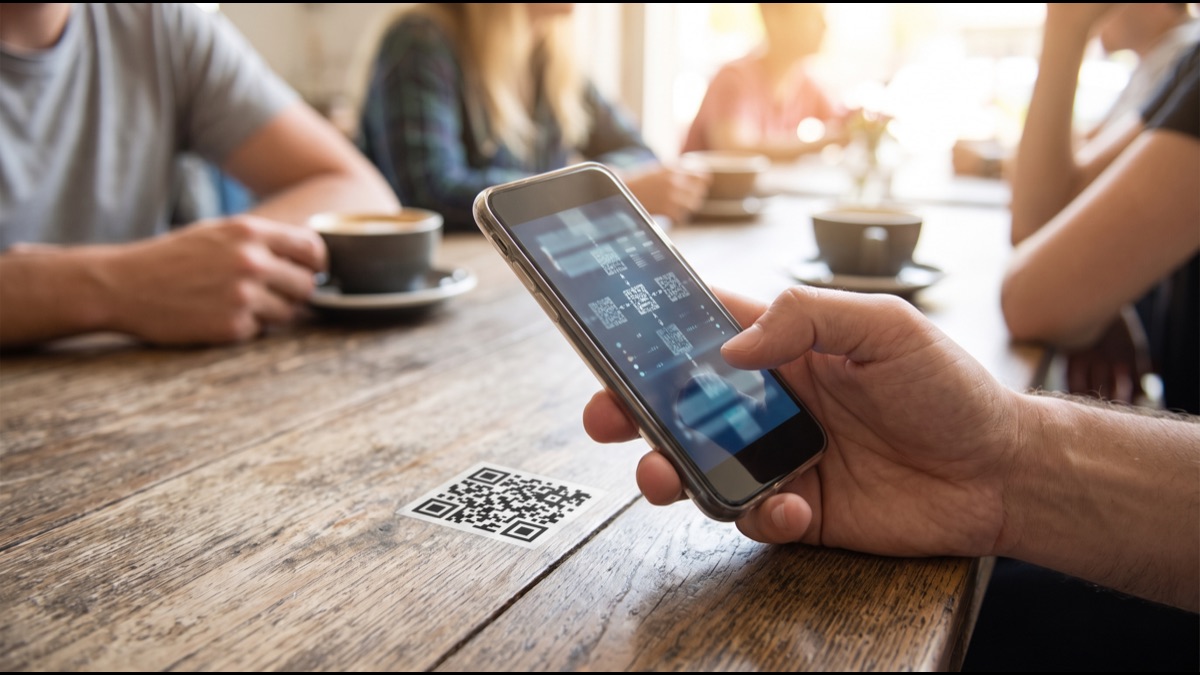
QR codes went from an obscure industrial tool to something people scan several times a week without a second thought. They appear on restaurant tables, payment terminals, product packaging, event tickets, and public signage, functioning as a bridge between a physical surface and a digital destination. Most people use them constantly while having no idea what the pattern actually contains or how a camera turns those squares into a working link.
The underlying design is genuinely clever, particularly in how it handles damage. A QR code can be partially obscured, scratched, or printed on a curved surface and still scan correctly, which is not an accident but the result of deliberate engineering choices made when the format was created. Understanding how the pattern is structured explains both that resilience and the security concerns that have grown alongside the format's popularity.
Why the Format Was Invented
QR codes were developed in the mid-nineteen-nineties by an engineering team working for a subsidiary of a Japanese automotive manufacturer, who needed a way to track components moving through a manufacturing process more efficiently than the traditional barcodes then in use could manage.
Conventional barcodes store data in one dimension only, encoding information in the varying widths of vertical lines, which fundamentally limits capacity to a small number of characters and requires the scanner to be aligned along a particular axis to read them correctly.
The team wanted something that could hold substantially more information, be read from any orientation, and be scanned quickly enough to keep pace with a moving production line, requirements that led directly to a two-dimensional design where data is encoded across both the horizontal and vertical axes simultaneously.
What the Three Big Squares Do
The three prominent square patterns in the corners are called finder patterns, and they exist to let a scanner locate the code within a camera image and determine its orientation before attempting to read any of the actual data it contains.
Each finder pattern consists of concentric squares in a specific ratio of dark and light regions, a proportion chosen deliberately because it is statistically uncommon in ordinary photographic scenes, meaning a scanner can search an image for that distinctive signature with relatively few false positives.
Because there are three finder patterns positioned at three of the four corners rather than all four, the scanner can determine which way the code is rotated by identifying which corner is missing its pattern, which is precisely why a QR code reads correctly whether it is upright, sideways, or upside down.
How the Scanner Corrects for Angle
Larger QR codes include additional smaller square patterns called alignment patterns, distributed through the body of the code, which allow a scanner to correct for distortion when the code is photographed at an angle or printed on a curved or uneven surface.
Without these reference points, a code viewed from an oblique angle would appear as a distorted quadrilateral rather than a square grid, and the scanner would be unable to determine reliably which grid cell each dark or light region corresponded to.
The alignment patterns give the software a set of known fixed positions it can use to compute a geometric transformation, effectively flattening the distorted image back into a regular grid before it attempts to interpret the individual data modules.
What the Timing Patterns Are For
Running between the finder patterns are single-module-wide lines of alternating dark and light squares, known as timing patterns, which serve to establish the exact size and spacing of the grid within a specific image.
This matters because a scanner cannot know in advance how large each module will appear, since that depends entirely on how far the camera is from the code and what resolution the image was captured at, both of which vary with every single scan.
By counting the alternating squares in the timing pattern, the software determines precisely where each grid boundary falls, which lets it sample the correct location for every module rather than accumulating small positional errors across a large code.
How Data Is Actually Encoded
The remaining area of the code, everything outside the fixed patterns, holds the actual encoded data, with each small square representing a single binary digit where dark conventionally means one and light means zero.
These bits are not laid out in simple left-to-right rows. They follow a specific zigzag path that moves in two-module-wide columns upward and downward alternately through the code, a routing chosen to distribute the data across the physical area rather than concentrating any particular portion in one region.
This spatial distribution is genuinely important for damage resilience, because it means physical damage to any one area of the code affects bits scattered throughout the encoded message rather than destroying one contiguous section of it entirely.
Why Different Data Types Use Different Encodings
The format supports several distinct encoding modes optimised for different content, including a numeric mode for digits only, an alphanumeric mode covering uppercase letters and a limited set of symbols, a byte mode for arbitrary data, and a mode specifically for Japanese characters.
Numeric mode is dramatically more efficient than byte mode, packing three digits into a smaller number of bits than byte mode would require for the same three characters, which means a code containing only numbers can hold substantially more content than one containing mixed text.
Encoders typically analyse the content and select the most efficient mode automatically, and can even switch modes partway through a single code, which is why two codes of identical physical size can hold very different quantities of information depending on what characters they contain.
How Error Correction Makes Damage Survivable
The single most impressive aspect of the format is its error correction, which uses a mathematical technique that adds redundant information allowing the original data to be reconstructed even when a substantial portion of the code cannot be read at all.
The format defines four levels of error correction, ranging from a low level that can recover from roughly seven percent damage to a high level tolerating around thirty percent, with the tradeoff being that stronger correction consumes capacity that would otherwise hold actual data.
This mechanism is why a QR code with a logo placed in its centre still scans correctly. The logo is simply treated as damage, and provided the code was generated with sufficient error correction and the obscured area stays within tolerance, the reader reconstructs the missing bits mathematically.
Why Codes Have Different Sizes
QR codes come in a range of standardised sizes referred to as versions, beginning with a small grid and increasing in fixed increments, with each successive version adding modules in both dimensions and therefore holding progressively more data.
The version required for any given code depends jointly on how much data is being encoded and what error correction level has been selected, since stronger correction consumes a larger share of the available modules and pushes the encoder toward a larger version.
This relationship explains why a code containing a long web address appears visibly denser and more intricate than one containing a short one, and why shortening a link before generating a code produces a visually simpler pattern that scans more reliably at distance or small print sizes.
What Masking Does and Why It Exists
After the data is placed into the grid, the encoder applies a mask, meaning a pattern that systematically flips certain modules according to a mathematical rule, and records which mask was used in a dedicated area of the code.
Masking exists because certain data patterns would otherwise produce large uniform areas of dark or light modules, or would accidentally reproduce something resembling a finder pattern, either of which would seriously confuse a scanner attempting to locate and read the code.
The encoder typically evaluates all available masks against a scoring system that penalises undesirable visual features, then selects whichever produces the most readable result, which is why two codes encoding identical data can look somewhat different if generated by different software.
What the Quiet Zone Is
Every QR code requires a margin of blank space around its entire perimeter, referred to as the quiet zone, which is a genuine functional requirement of the format rather than merely a design convention or aesthetic preference.
The quiet zone allows the scanner to determine unambiguously where the code ends and the surrounding content begins, since without clear separation the software may fail to isolate the code from adjacent text, imagery, or page borders.
This is a genuinely common cause of scanning failures in practice, where a designer places a code flush against other content or crops it tightly to fit a layout, producing a technically valid code that nonetheless proves unreliable to scan in real conditions.
Why the Format Became Free to Use
A substantial reason for the format's eventual worldwide adoption was the decision by the company that developed it not to enforce its patent rights against those using the specification, effectively making the format free to implement.
This decision meant anyone could build QR generation or scanning capability without licensing negotiations or royalty payments, which removed the single largest practical barrier to adoption and allowed the format to spread across industries and countries without commercial friction.
The contrast with formats that remained tightly licensed is instructive, since several technically comparable two-dimensional barcode systems existed but never achieved similar ubiquity, largely because the licensing burden discouraged widespread implementation in consumer software.
What Made Smartphones the Turning Point
For roughly the first decade of their existence, QR codes remained largely confined to industrial and logistics use, because scanning one required dedicated hardware or a separately installed application that most people had no reason to obtain.
The decisive shift came when major smartphone operating systems integrated QR recognition directly into their built-in camera applications, removing the requirement to install anything at all and reducing scanning to the act of pointing a phone at the code.
This change transformed the format's practical reach almost immediately, since a code printed anywhere became usable by essentially anyone holding a modern phone, which is precisely why consumer-facing QR usage expanded so dramatically in the years that followed.
Why QR Codes Carry Genuine Security Risk
The fundamental security weakness of the format is that a human being cannot read a QR code by looking at it, meaning there is no way to evaluate where a code leads before scanning it, unlike a printed web address that can at least be inspected visually.
This creates an opportunity for malicious use, where an attacker places a code that directs to a fraudulent site designed to harvest credentials or payment details, a technique that has been observed on parking meters, restaurant tables, and public notices.
The physical dimension makes this harder to defend against than equivalent online attacks, since a sticker placed over a legitimate code on a genuine sign carries the implicit credibility of its surroundings, and nothing about the appearance of the code itself reveals the substitution.
How Dynamic Codes Change the Picture
Many codes in commercial use are dynamic, meaning the encoded destination is not the final address but rather a short redirect link controlled by a service provider, which then forwards the scanner to whatever destination is currently configured.
This offers genuine practical advantages, since the destination can be changed after codes have already been printed and distributed, and it enables scan analytics including how many people scanned, approximately where, and when.
It also introduces a dependency and a privacy consideration, since the redirect service can observe every scan and the code stops working entirely if that service ceases operating, which has occasionally left printed material pointing at nothing after a provider shut down.
How to Scan More Safely
The most useful precaution is to check the destination before proceeding, since most modern phone cameras display the target address as a preview rather than opening it automatically, giving a brief opportunity to notice an address that does not match expectations.
Physical inspection genuinely helps in public settings, since malicious codes are frequently applied as stickers over legitimate ones, and a raised edge, a slight misalignment, or a code that looks freshly applied to weathered signage are all meaningful warning signs.
Treating any code that requests credentials, payment details, or an application installation with particular suspicion is a reasonable default, since these are precisely the outcomes an attacker would be pursuing and legitimate uses rarely require them without other context.
What Else QR Codes Can Contain Besides Links
Although the overwhelming majority of codes encountered in daily life contain a web address, the format itself is entirely agnostic about content and can hold any text at all, which has produced a range of conventions for encoding structured information that scanning software recognises and acts on automatically.
Common structured formats include contact details that a phone offers to save directly into an address book, wireless network credentials that connect a device without typing a password, calendar events, geographic coordinates, and payment instructions used extensively in several national payment systems.
These conventions work because scanning applications inspect the decoded text for recognisable prefixes and then offer the appropriate action, which means the intelligence sits in the scanning software rather than in the code itself, and a code containing a format the scanner does not recognise simply displays as plain text.
Why Print Quality and Contrast Matter So Much
A great many scanning failures in practice have nothing to do with the encoded data and everything to do with how the code was physically reproduced, since the scanner ultimately has to distinguish dark modules from light ones in a photograph taken under uncontrolled lighting conditions.
Insufficient contrast is a frequent culprit, particularly when designers print codes in brand colours against tinted backgrounds, because the format assumes a substantial difference in reflectance between modules and reversing the expected polarity by using light modules on a dark background defeats many scanners entirely.
Physical size relative to scanning distance matters similarly, since each module must occupy enough pixels in the captured image to be resolved reliably, which is why a code sized appropriately for a handheld leaflet frequently proves unusable when the same artwork is reproduced on a billboard intended to be scanned from across a street.
How the Format Compares to Newer Alternatives
Several competing two-dimensional barcode formats exist and are genuinely superior for particular purposes, including formats designed to pack more data into a smaller physical footprint and others optimised for marking small industrial components where available surface area is severely constrained.
Despite these technical alternatives, the QR format has retained overwhelming dominance in consumer contexts for reasons that have comparatively little to do with technical merit, resting instead on the network effect of universal scanner support built directly into every modern phone camera.
This illustrates a pattern common throughout technology adoption, where the format that wins is frequently not the one with the best specifications but the one that reached ubiquity first and thereby made every subsequent alternative face the considerable burden of persuading people to install something in order to use it.
A QR code is considerably more structured than its appearance suggests. The three corner squares let a scanner find it and determine its rotation, the timing patterns establish the grid spacing, the alignment patterns correct for viewing angle, and the remaining area holds data laid out along a zigzag path specifically so that damage to any one region affects scattered bits rather than one contiguous block. The error correction is what makes the format genuinely robust, adding enough mathematical redundancy that a code can lose a meaningful share of its area and still reconstruct the original content, which is exactly why a logo can sit in the middle of one without breaking it. That same opacity that makes the format so convenient is also its main weakness, since nobody can tell by looking where a code leads, and that is precisely the gap malicious codes exploit.
Sources
- Wikipedia — overview of QR code structure, history, and specifications
- International Organization for Standardization — the international standard defining QR code symbology
- National Institute of Standards and Technology — guidance on error correction coding and data integrity
- Cybersecurity and Infrastructure Security Agency — security guidance on QR code based attacks
- Encyclopaedia Britannica — background on barcode technology and its development
FAQ
Why do QR codes have three big squares in the corners?
They are finder patterns that let a scanner locate the code in an image and work out its rotation — three corners rather than four is how orientation is determined.
How can a QR code still work with a logo covering part of it?
Built-in error correction adds redundant data, so a code can lose up to roughly thirty percent of its area at the highest correction level and still be reconstructed.
Why do some QR codes look denser than others?
More data and stronger error correction both require a larger grid version, which is why long web addresses produce visibly more intricate patterns than short ones.
Why does a QR code need blank space around it?
The quiet zone is a functional requirement that lets the scanner separate the code from surrounding content — cropping it tightly is a common cause of scan failures.
Are QR codes a security risk?
They can be, because you cannot read one by looking at it, so a malicious sticker placed over a legitimate code can direct you to a fraudulent site without any visible clue.
About the Author
We reference Wikipedia, International Organization for Standardization, National Institute of Standards and Technology, Cybersecurity and Infrastructure Security Agency, and Encyclopaedia Britannica to explain the background and current understanding of this topic.
Loved This Article?
Share it on WhatsApp → Share it on WhatsApp
Get more guides in your inbox — Subscribe to our newsletter for weekly surprising stories from Egypt, Saudi Arabia, Dubai, and beyond.