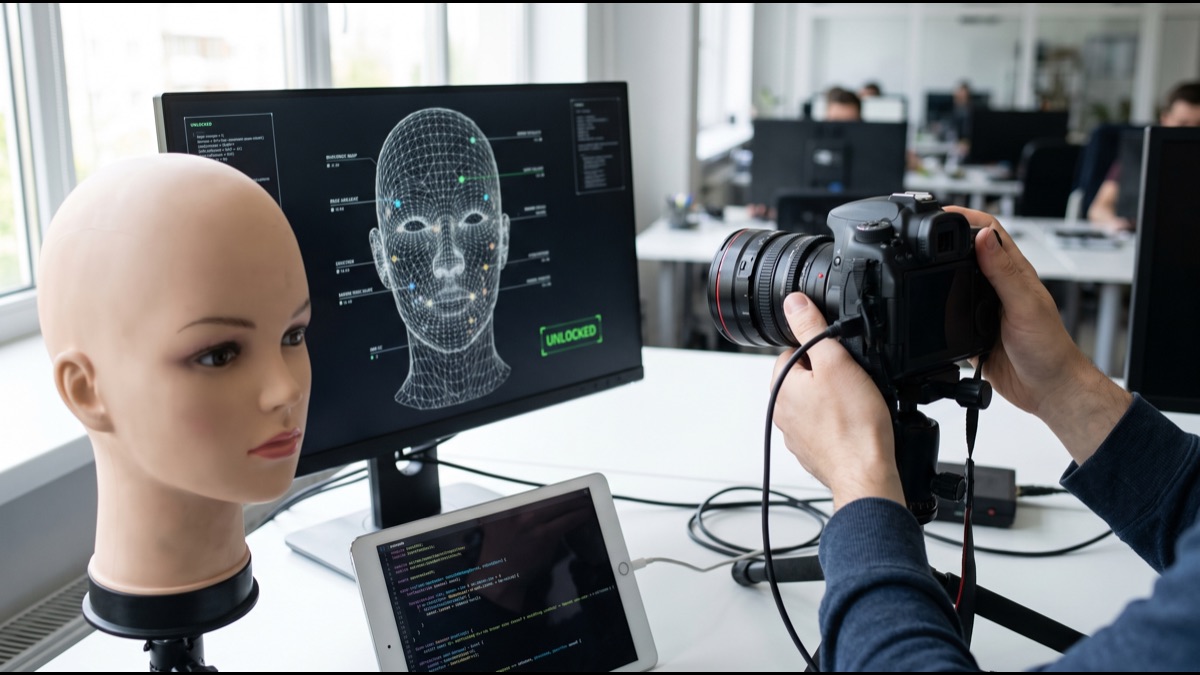
Every time you glance at your phone and watch it unlock, a chain of specialized hardware and machine learning runs in a fraction of a second: infrared light bounces off your face, a processor converts the shape of your features into a string of numbers, and that string is compared against a template stored nowhere but your device. The convenience hides real engineering trade-offs — between security and speed, between working in the dark and staying private, between a phone that unlocks reliably for you and one that never unlocks for anyone else. Understanding how facial recognition unlock actually works, and where it can be fooled, makes it possible to judge how much to trust it for different situations, from checking a weather app to authorizing a bank transfer.
Two Approaches: 2D Photo Matching vs. 3D Depth Sensing
Not all face unlock is built the same way, and the difference between the two dominant approaches explains most of the security gap people read about in the news. The simpler approach relies entirely on a standard front-facing camera, capturing a two-dimensional image of your face and comparing it against reference images taken during setup using pattern-recognition software.
The more advanced approach, most closely associated with Apple's Face ID "TrueDepth" camera architecture but conceptually mirrored by several Android flagship implementations, adds dedicated depth-sensing hardware that builds an actual three-dimensional map of your facial geometry rather than a flat image.
This distinction matters more than brand names or marketing terms: a system that only ever "sees" a flat picture is inherently limited in what it can distinguish from another flat picture, while a system that measures real-world depth has an entirely different, much harder problem to spoof.
How Structured Light and Infrared Dot Projectors Work
3D depth-sensing face unlock systems typically include a dedicated infrared dot projector that flashes tens of thousands of invisible infrared points onto your face in a defined pattern, a technique generally known as structured light.
A companion infrared camera then photographs how that grid of dots lands across your features. Because the dots fall at slightly different positions and spacing depending on the contours they hit — closer together on a raised nose bridge, more spread out across a flatter cheek — the resulting distortion pattern lets the system mathematically reconstruct a depth map of the face.
This is fundamentally different from analyzing a normal photograph, because a flat image, whether printed or displayed on a screen, cannot reproduce the correct dot-distortion pattern a real three-dimensional face produces, which is exactly why this architecture resists simple photo-based spoofing far more effectively than 2D-only systems.
Seeing in the Dark: Infrared and Near-Infrared Imaging
Ordinary front-facing cameras rely on visible light, which means they struggle badly in dim rooms or complete darkness — a real limitation for something people expect to use to unlock a phone on a nightstand at 2 a.m.
Face unlock systems get around this by pairing an infrared flood illuminator with a dedicated infrared-sensitive camera. The illuminator bathes your face in a wash of near-infrared light invisible to human eyes, and the infrared camera captures a clear, consistently lit image regardless of how dark the room actually is.
Because the system supplies its own controlled light source rather than depending on ambient lighting, the quality of the captured image stays far more consistent than a regular selfie camera would in the same conditions, which is a major reason face unlock can work reliably at night while a normal photo taken in the same room would come out mostly black.
From Face to Numbers: How the Matching Algorithm Works
Once the camera hardware has captured a depth map and infrared image of your face, a neural network processes that raw sensor data and converts it into a compact mathematical representation of your facial geometry, often called an embedding or feature vector.
This vector is essentially a long list of numbers that encodes relative distances and proportions between key facial landmarks — the spacing between your eyes, the contour of your jawline, the shape of your nose bridge — in a form a computer can efficiently compare, rather than an image a human would look at.
To verify identity, the system generates a fresh vector from your current face and calculates a mathematical distance between it and the vector generated during enrollment. If that distance falls below a calibrated threshold, the two are considered a match and the device unlocks; this same general architecture — reducing a biometric measurement to an abstract numerical representation rather than storing raw imagery — underpins most modern biometric systems, not just facial recognition.
The Enrolled Template Is Not a Photo
Setting up face unlock typically involves slowly moving or tilting your head while the camera captures your features from a range of angles, building a more complete and robust mathematical template than a single static image could provide.
That template, once generated, is what actually gets stored for future comparisons — not a photograph, and not something that can be opened and viewed the way an image in your camera roll can. Manufacturers emphasize this distinction because it changes what's actually at risk if the stored data were ever somehow extracted: a list of abstract numbers is far less immediately useful to an attacker than a recognizable picture of your face would be.
This doesn't mean the template carries zero risk in theory — researchers have explored whether facial features could ever be partially approximated from certain kinds of embeddings under specific conditions — but in practical terms it's a meaningfully different and smaller exposure than a stored photograph would represent, which is part of why manufacturers store templates in dedicated secure hardware rather than general storage.
Liveness Detection: Stopping Photo and Video Spoofing
Because depth maps and infrared images alone would still theoretically be vulnerable to sufficiently sophisticated fakes, well-built face unlock systems add a separate layer called liveness detection, designed specifically to distinguish an actual living human face from a photo, video replay, or physical mask.
Liveness checks typically analyze depth-map consistency, subtle micro-movements, and infrared reflectance patterns that differ between real skin and printed paper, glass screens, or synthetic mask materials — cues a flat 2D photo simply cannot reproduce no matter how high its resolution.
This is the layer of defense that separates a genuinely secure biometric system from one that merely looks secure on a spec sheet: depth sensing alone raises the bar against basic spoofing, but liveness detection is what makes more determined spoofing attempts meaningfully harder rather than just theoretically harder.
Attention Awareness and Eye-Based Checks
Many face unlock systems add an additional check often described as attention awareness, which requires the system to detect that your eyes are open and that your gaze is actually directed at the device before it will unlock.
This directly addresses a specific and once widely discussed concern: someone unlocking a sleeping or unaware person's phone simply by holding it up to their face. Requiring open, attentive eyes closes off that particular shortcut without requiring any extra deliberate action from the legitimate user.
Some implementations layer in blink detection or brief prompts for head movement as an additional confirmation step, particularly in configurations tuned for higher security, reflecting a deliberate design response to documented real-world spoofing and coercion scenarios rather than a purely theoretical feature.
Why Cheap 2D-Camera Face Unlock Is Easier to Fool
Budget smartphones that offer face unlock purely through software running on a standard front camera, without dedicated infrared hardware or a depth sensor, are working with fundamentally less information than a true 3D system — essentially comparing one flat picture to another.
Researchers and journalists have repeatedly demonstrated that a number of these lightweight, camera-only implementations, particularly on older or lower-cost Android devices, could be unlocked using a printed photo or even a photo of the owner displayed on a second phone's screen, since the system has no independent way to detect that it's looking at a flat surface rather than a real face.
Manufacturers of these lighter-weight systems generally position face unlock as a convenience feature rather than a full security credential, which is why many of these devices still require a PIN, pattern, or fingerprint for sensitive actions like app installs or payment authorization rather than trusting face matching alone for everything.
Documented Cases: Twins, Masks, and Lighting Conditions
Identical twins and, less commonly, very close siblings share facial geometry close enough that some face unlock systems, including certain 3D implementations in their earlier generations, have been documented in tests to occasionally accept the wrong twin — a known edge case that pushes false acceptance rates higher than average for that specific population.
Security researchers have also built and demonstrated custom 3D-printed or sculpted masks capable of spoofing certain depth-sensing systems under controlled lab conditions, though these demonstrations generally required detailed knowledge of the target's facial geometry and specialized materials rather than being trivially reproducible by an opportunistic attacker.
Extreme lighting conditions can also affect reliability, though usually in the opposite direction from spoofing: very strong ambient infrared interference, such as certain outdoor sunlight conditions, can sometimes reduce match accuracy and cause the system to fail to recognize the legitimate owner rather than falsely accepting someone else.
False Acceptance Rate vs. False Rejection Rate
Every biometric system is evaluated along two competing error metrics: the false acceptance rate, meaning how often the system incorrectly unlocks for the wrong person, and the false rejection rate, meaning how often it incorrectly fails to unlock for the right person.
These two rates pull against each other. Making the matching threshold stricter reduces false acceptances but increases the odds of the legitimate user being rejected and having to fall back to a passcode, while loosening the threshold does the opposite, so manufacturers have to calibrate carefully rather than simply maximizing one metric.
Vendors of well-implemented 3D depth-sensing systems have publicly described false acceptance rates in the range of roughly one in a million for a random unrelated face, though these figures are generally self-reported, vary by testing methodology, and should be read as directional rather than as independently audited guarantees.
Why Payment Unlock Uses Stricter Thresholds
Because the consequences of a false acceptance are far more serious when money is on the line, device makers and app developers commonly apply tighter verification requirements, or an entirely separate confirmation step, for actions like authorizing a payment or accessing a banking app compared to simply unlocking the home screen.
This reflects a broader principle called risk-based authentication: the acceptable trade-off between security and convenience shifts depending on what's actually at stake in a given action, so a system reasonably tolerant of occasional false rejections for screen unlock becomes far less tolerant of any false acceptance risk once a financial transaction is involved.
In practice this often shows up as payment apps requiring a fresh, high-confidence face or fingerprint match immediately before a transaction, sometimes with additional passcode confirmation after repeated failures, rather than relying on whatever unlock state the phone happened to already be in.
Fingerprint Sensors: Capacitive vs. Ultrasonic
Capacitive fingerprint sensors, historically the most common type on physical home buttons and rear-mounted sensors, work by measuring tiny differences in electrical capacitance between the ridges and valleys of a fingerprint pressed against a sensor grid, building a 2D map of the print pattern.
Ultrasonic fingerprint sensors, increasingly used for in-display sensors on premium devices, instead send high-frequency sound waves into the fingertip and measure the reflections to construct an actual three-dimensional map of ridge depth, which makes them considerably harder to fool with a flat printed or molded fingerprint copy and generally more reliable with wet or slightly dirty fingers.
A third common type, optical in-display sensors, essentially takes an enhanced photograph of the fingerprint using light rather than sound or electrical capacitance; these tend to be cheaper to manufacture but have been shown in some documented research to be more susceptible to being fooled by sufficiently high-resolution fingerprint images than capacitive or ultrasonic alternatives.
Comparing Attack Surfaces: Face vs. Fingerprint
Fingerprint spoofing generally requires either physical access to lift a latent print left on a surface or a captured high-resolution image of the finger, which for most casual attackers is a meaningfully higher bar than photographing someone's face, something that happens constantly and often unavoidably in public, on social media, and during video calls.
Face unlock's advantage is convenience — it works hands-free and contactlessly, which matters for accessibility and everyday speed — but that same public exposure of the human face is also its core privacy trade-off, since a face is inherently far more visible and photographable in daily life than a fingerprint pattern typically is.
Neither biometric is objectively "more secure" in the abstract; the real determinant is implementation quality, specifically whether liveness detection, depth sensing, and appropriate matching thresholds are actually present, rather than which body part the system happens to measure.
Where Biometric Data Actually Lives: The Secure Enclave
On most modern smartphones, the mathematical template generated during face or fingerprint enrollment is stored inside a dedicated, physically isolated security chip or coprocessor, often described generically as a secure enclave or trusted execution environment, that operates separately from the phone's general-purpose operating system.
This isolated hardware handles the actual matching calculation internally and only ever communicates a simple match-or-no-match result back to the rest of the device, rather than exposing the raw template data to the main operating system, apps, or even most of the device's own software stack.
The architectural principle — isolate sensitive biometric processing in dedicated hardware separate from the general operating system — is broadly shared across major smartphone platforms, even though the specific implementation, naming, and certification details vary by manufacturer.
Why Templates Rarely Leave the Device
Unlike a password, which is often designed to sync across your phone, laptop, and browser through a cloud account, a biometric template generated for device unlock is typically generated, stored, and matched entirely locally, with no routine transmission to a manufacturer's servers or any cloud service.
This is a deliberate privacy and security design choice: keeping biometric templates device-local dramatically limits the damage a server-side data breach could cause, since there is no central database of millions of users' facial or fingerprint templates sitting on a company's servers waiting to be stolen in the first place.
A practical consequence of this design is that setting up face or fingerprint unlock on a new device always requires re-enrolling from scratch — there is no cloud restore for biometric templates the way there is for photos or contacts, which is itself evidence that the data genuinely isn't being synced or centrally stored.
Device Unlock vs. Mass Surveillance: A Critical Distinction
Much of the public anxiety and legal debate around "facial recognition" actually concerns a very different application than the one unlocking your phone, and conflating the two muddies an otherwise fairly clear picture.
Device unlock performs what's called one-to-one verification: it checks whether the face currently in front of the camera matches one specific, previously enrolled template stored locally on that one device, with the user's active participation and consent built into the process.
Surveillance-oriented facial recognition, by contrast, typically performs one-to-many identification: scanning a face captured from a camera, often without the person's knowledge, and searching it against a large centralized database or watch list to identify who they are. These are fundamentally different technical systems with fundamentally different privacy implications, even though they share underlying computer-vision techniques.
Demographic Accuracy Concerns in Surveillance Contexts
The U.S. National Institute of Standards and Technology runs an ongoing Face Recognition Vendor Test program that has evaluated the accuracy of numerous commercial and research facial recognition algorithms, and its published findings have documented that error rates for some algorithms varied across demographic groups, particularly relevant to the one-to-many identification systems used in law enforcement and public surveillance contexts.
These findings have meaningfully shaped policy debate around deploying facial recognition for identification purposes in public and government contexts, prompting some jurisdictions to restrict or pause certain law-enforcement uses pending further evaluation.
It's worth being precise about scope here: this research primarily concerns identification accuracy across large, diverse populations in surveillance-style one-to-many matching, which is a meaningfully different technical problem from the one-to-one, single-enrolled-user matching that consumer device unlock performs, even though both fall under the broad umbrella of "facial recognition."
Practical Guidance: Matching Face Unlock to Your Threat Model
For everyday convenience — unlocking your phone dozens of times a day to check messages, maps, or a weather app — the residual risk of a well-implemented 3D face unlock system with liveness detection is genuinely low, and for most people the convenience trade-off is a reasonable one.
For higher-stakes situations, a few adjustments meaningfully improve resilience: keeping a strong passcode or fingerprint as a fallback rather than relying on face unlock alone, being cautious about relying on face unlock around family members or close look-alikes if that specific threat is relevant to you, and understanding your device's specific settings around attention awareness rather than assuming they're on by default.
People specifically concerned about being legally compelled to unlock a device by having it pointed at their face — a scenario that has come up in various legal contexts — should be aware that biometric unlock and a memorized passcode are sometimes treated differently under the law depending on jurisdiction, and may want to weigh that distinction when deciding which unlock method to rely on in specific situations.
Facial recognition unlock, done well, is a genuine engineering achievement: dedicated infrared sensors reconstruct a three-dimensional map of your face in the dark, a neural network reduces that map to an abstract mathematical template rather than a photograph, and liveness and attention checks work together to make casual spoofing genuinely difficult rather than just theoretically difficult. The security gap that actually matters isn't between "face unlock" and "fingerprint unlock" as categories, but between lightweight 2D camera-only implementations and properly engineered depth-sensing systems with real anti-spoofing layers — and between convenience-tier unlock and the stricter thresholds device makers reasonably apply once real money or sensitive data is on the line. Understanding that architecture is what lets you trust the right amount, for the right situation, rather than treating every "face unlock" label as an interchangeable promise of identical security.
Sources
- NIST Face Recognition Vendor Test (FRVT) — Ongoing U.S. government evaluation program benchmarking the accuracy of commercial and research facial recognition algorithms, including demographic performance analysis.
- NIST Special Publication 800-63B — Federal digital identity guidelines covering biometric and authenticator security requirements.
- Apple Support: About Face ID Advanced Technology — Manufacturer technical documentation describing TrueDepth camera and depth-sensing unlock architecture at a general level.
- IEEE — Global professional and standards organization publishing peer-reviewed research on biometric sensing, computer vision, and anti-spoofing techniques.
FAQ
Does face unlock store an actual photo of my face?
No. Face unlock systems generally convert your facial geometry into a mathematical representation, sometimes called an embedding or template, and store that inside dedicated secure hardware. A conventional, viewable photo of your face is not what gets saved for matching.
Can a printed photo unlock my phone's face recognition?
It depends heavily on the system. Basic 2D camera-only face unlock on some budget devices has been demonstrated to be fooled by a photo in research and journalism. Systems using 3D depth sensing and infrared liveness detection are built specifically to reject flat images and are far more resistant to this kind of spoofing.
Is fingerprint unlock more secure than face unlock?
Neither biometric is universally more secure than the other. Security depends heavily on the specific sensor technology and anti-spoofing measures implemented, not just which body part is being scanned. Many manufacturers also apply stricter verification thresholds for sensitive actions like payments regardless of which biometric is used.
Can identical twins unlock each other's phones with face recognition?
It has happened in documented tests, particularly with earlier generations of 3D face-mapping systems, because identical twins share extremely close facial geometry. This is one of the known edge cases where false acceptance risk is higher than average.
Is unlocking my phone with my face the same as mass surveillance facial recognition?
No, these are fundamentally different applications. Device unlock performs a private, one-to-one comparison against a template stored only on your device. Surveillance-oriented facial recognition typically performs one-to-many identification, searching a face against large databases or watch lists, which raises very different privacy and accuracy concerns.
About the Author
We reference the NIST Face Recognition Vendor Test program, NIST Special Publication 800-63B, Apple's public technical documentation on TrueDepth and Face ID, and IEEE research publications to explain the background and current understanding of this topic.
Loved This Article?
Share it on WhatsApp → Share it on WhatsApp
Get more guides in your inbox — Subscribe to our newsletter for weekly surprising stories from Egypt, Saudi Arabia, Dubai, and beyond.